How to access Instagram and Gmail in China (2025): A Traveler’s Guide
Share:
Planning a trip to China? Here’s one thing you need to sort out before you go: your internet access. If you’re hoping to post on Instagram or check your Gmail, you need to know that most Western apps just don’t work there. But don’t worry, a bit of preparation with the right tools—like a good travel eSIM and a secure way to connect—will keep you online without a hitch.
Why Can’t I Use Instagram and Gmail in China?
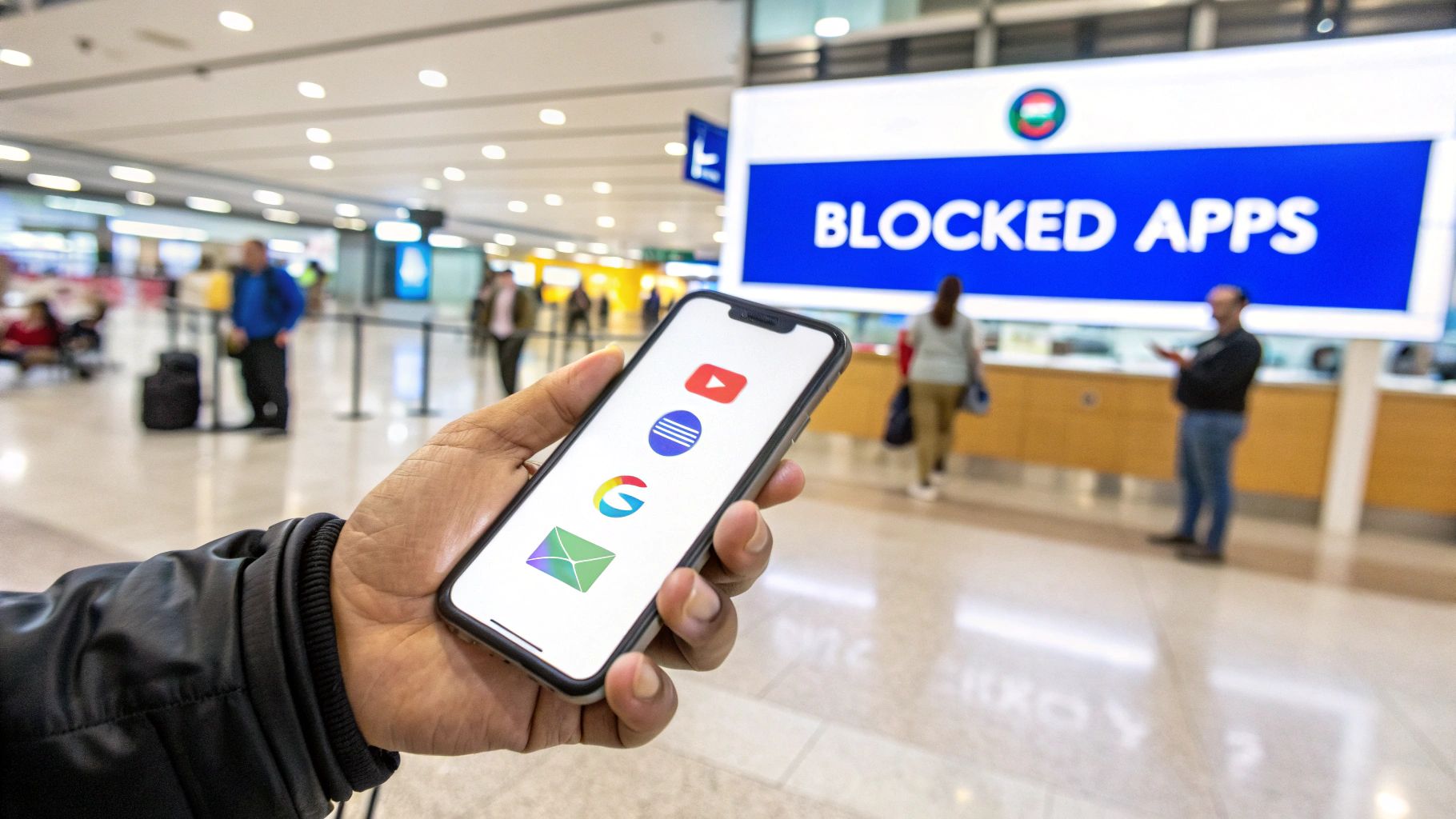
So, you’ve just landed, you pull out your phone to check your messages, and… nothing. Your Instagram feed won’t refresh, and Gmail is completely dead. This isn’t a glitch; it’s by design. You’ve just met the ‘Great Firewall’.
For first-time travelers, this can be a real culture shock. The apps you rely on for everything—from sharing trip photos to pulling up hotel confirmations—are suddenly out of reach. This isn’t just about blocking a couple of websites; it’s a massive, sophisticated system that filters the entire country’s connection to the global internet.
A Closer Look at the Great Firewall
Picture the Great Firewall as a digital border patrol for the internet. It inspects all traffic coming in and out of China and is very good at blocking access to foreign platforms that don’t follow local rules. The block list is long and includes many services you probably use daily:
Social Media: Instagram, Facebook, X (formerly Twitter), and Pinterest.
Google Services: Gmail, Google Maps, Google Drive, and the Google search engine itself.
Messaging Apps: WhatsApp, Telegram, and Facebook Messenger.
News & Video: YouTube, BBC News, and The New York Times.
Why all the restrictions? It’s primarily about maintaining control over the information available online. In place of global platforms, China has built its own massive digital ecosystem with apps like WeChat, Weibo, and Baidu, all of which operate under Chinese law.
How This Affects Your Trip
As a traveler, this digital barrier poses some practical problems. It’s not just about missing out on social media. What happens when your airline sends a flight change notification to your Gmail account? Or when you desperately need Google Maps to navigate a sprawling city like Shanghai?
This is precisely why you need a game plan before you leave home. Accessing Instagram and Gmail in China in 2025 is still a non-starter without the right tools. A recent report on digital trends highlighted that only about 0.4% of China’s population use Instagram, and they’re almost all using circumvention tools to do it.
The biggest mistake travelers make is thinking they can just sort it out when they arrive. By that point, you’re already behind the firewall, and the websites or app stores you need to download the right tools are often blocked themselves.
Luckily, bypassing these restrictions is fairly simple if you’re prepared. The key is to arrange your mobile data in advance. A travel eSIM from a provider like TapSim ensures you have a working internet connection the second your plane touches down. That connection is your lifeline, giving you the foundation you need to get your other tools working and keep your trip running smoothly.
Getting Your Tech Ready Before You Fly
Let’s be honest: successfully using apps like Instagram and Gmail in China comes down to what you do before you even leave for the airport. A bit of forward planning is the difference between a smooth trip and a frustrating one spent hunting for a connection. This is your pre-flight checklist to get everything in order so you can get online the moment you land.
Your first move should be to sort out your internet access. Relying on hotel or airport Wi-Fi is a massive gamble. These networks are often slow, require complicated sign-ins, and, most importantly, are still stuck behind the Great Firewall. The only reliable strategy is to arrive with your own data source ready to go.
This is where a travel eSIM really shines. You can buy and install it right from your sofa before you travel, and it’ll connect automatically as soon as your plane touches down. With TapSim, travelers can activate data instantly before takeoff without the fuss of finding a local shop and dealing with registration paperwork.
Comparing Your Connectivity Options for China
To get a clearer picture, it helps to see how the main options stack up. For a traveler focused on accessing blocked services, having your own independent data is key.
Method
How It Works
Pros
Cons
Travel eSIM
A digital SIM you install on your phone before you travel, giving you access to local data networks on arrival.
Instant connectivity; no need to find a shop; can be set up entirely from home.
Requires a compatible phone; can be more expensive than a local SIM for very long trips.
VPN
An app that creates a secure, encrypted connection to a server outside of China, making it seem like you’re browsing from another country.
Essential for bypassing the Great Firewall; encrypts your traffic for better privacy.
Must be installed before you arrive in China; quality free versions are rare.
Public Wi‑Fi
Free or paid wireless networks found in hotels, airports, and cafes.
Can be free.
Unreliable; often slow; still behind the firewall (needs a VPN); may require a local phone number to log in.
Home Roaming
Using your mobile plan from home to roam on Chinese networks.
Convenient as it uses your own number.
Can be incredibly expensive; data speeds may be throttled; still requires a VPN to access blocked sites.
Ultimately, a combination of a travel eSIM for data and a solid VPN for access is the most bulletproof approach for most travelers.
First: Lock Down Your Data Connection
Before you even think about the tools to get around internet blocks, you need a solid foundation: a reliable data connection. Without it, even the best software is completely useless. This is why a travel eSIM is such a game-changer.
Think of the eSIM as your private pipeline to the internet, connecting you directly to local mobile networks. Its biggest advantage is that it frees you from dependency on public Wi-Fi. More importantly, having your own data means you can troubleshoot any issues from anywhere—a taxi, a cafe, or your hotel room.
Before you buy one, it’s a good idea to make sure your phone is eSIM-ready. Most phones from the last few years are, but it never hurts to check. You can easily find out how to confirm if your phone supports eSIM technology and get that sorted before you commit.
The Most Critical Step: Install Your VPN Before You Leave
Once your data is sorted, this next step is completely non-negotiable. You absolutely must choose and install a trustworthy Virtual Private Network (VPN) on every single device you’re taking with you—phone, tablet, and laptop.
A VPN creates a secure, encrypted “tunnel” for your internet activity, routing it through a server in another country. This tricks websites into thinking you’re browsing from somewhere like Japan or the UK, neatly sidestepping the Great Firewall’s blocks.
Crucial Tip: Do not wait until you’re in China to do this. The websites and app stores for all the major VPN providers are blocked there. Trying to download one after you’ve landed is nearly impossible. This is the single biggest mistake travelers make.
When picking a VPN, go for one with a proven track record of working reliably in China. Some are much better at navigating the sophisticated blocking systems than others. It’s even a good idea to install two different reputable VPN apps. That way, you have a backup ready if one service has a temporary wobble.
Prepare Your Digital Toolkit
With your internet and VPN squared away, a few final preparations will make life much easier. Think of it as packing your digital carry-on.
Download Offline Maps: Google Maps is blocked and can be patchy even with a VPN. Before you go, download offline maps for the cities you’re visiting on an app like Apple Maps or MAPS.ME. This way, you can find your way around without needing a live connection.
Back Up Key Info: Don’t get caught out. Save your important emails, hotel confirmations, and flight details offline. Just take a few screenshots or save them as PDFs in a folder on your phone.
Get a Backup Messaging App: While the goal is to use your usual apps, having a plan B is smart. Download and set up WeChat before you go. It’s the dominant “super app” in China, used for everything from messaging to payments, and you’ll likely need it to interact with local services.
Check Your Two-Factor Authentication (2FA): Make sure 2FA is switched on for important accounts like Gmail. If your 2FA works by sending a text to your home number, you might need to briefly enable roaming to get the code. A better option is to switch to an app-based authenticator, like Google Authenticator, which works offline.
By sorting these things out before you fly, you put yourself in control of your connection, not the firewall.
Getting Online the Moment You Land
The plane has touched down, you’ve flicked off airplane mode, and it hits you—you’re in China. This is where all that preparation pays off. Forget the mad dash for patchy airport Wi-Fi; you can be online and checking your messages in minutes, without even leaving your seat.
First things first, wake up your travel eSIM. If you’ve got a plan from TapSim sorted, it’s usually as easy as diving into your phone’s mobile settings and toggling the eSIM line on. Give it a moment, and you should see the 4G or 5G symbol pop up as it latches onto a local network. Just like that, you have your own private, stable data connection. For a step-by-step guide, you can find simple instructions on how to activate an eSIM on your iPhone to get you ready.
With your data flowing, it’s time to fire up the VPN app you installed back home. This is the crucial step that opens the door to your usual online world.
Choosing Your First Server
Open your VPN, and you’ll be greeted with a long list of server locations across the globe. Where you connect makes a huge difference to your speed. Our advice? Always connect to a server in a country that’s geographically close.
Think of it this way: sending a parcel to a neighboring country is always going to be faster than shipping it halfway around the world. For China, your best bets are almost always servers located in:
Japan: Renowned for its incredibly fast and reliable internet.
South Korea: Another excellent high-speed option right next door.
Hong Kong: A solid choice, but its popularity can sometimes lead to slower speeds.
Singapore: A great backup if the East Asian servers feel a bit sluggish.
Steer clear of connecting to servers in Europe or the US, at least initially. The sheer distance the data needs to travel will almost certainly give you a slow, laggy connection. Pick a server in Japan, tap connect, and let the app work its magic.
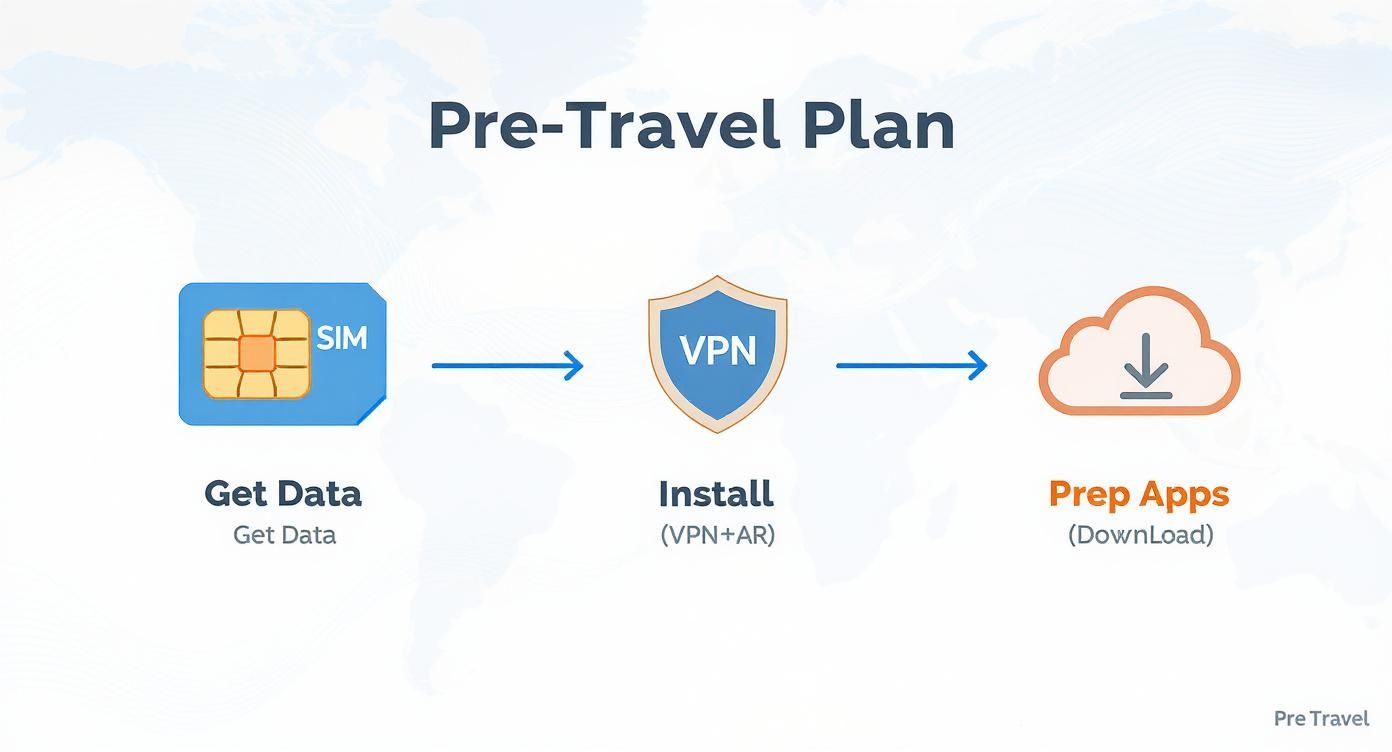
This simple three-step process is something you should have completed before you even left for the airport.
Having your data, VPN, and apps prepped before you land is truly the secret to a smooth, stress-free arrival.
Testing and Troubleshooting on the Ground
Once your VPN app proudly displays ‘Connected’, it’s time for the moment of truth. Don’t try streaming a video just yet. Pop open Instagram. Can you see new stories? Does the feed refresh? Great. Now try Gmail. Pull down to refresh your inbox. If new emails pop up, you’re golden.
But what if you open an app and get nothing but a spinning wheel? Don’t panic. This happens all the time and the fix is usually simple. Internet conditions in China can be unpredictable; a server that was lightning-fast an hour ago might suddenly get bogged down.
Don’t be surprised if your first connection attempt fails. It’s completely normal. The trick is to have a quick troubleshooting routine ready to go so you can switch things up without getting frustrated. A little patience goes a long way.
If you’re stuck, just work your way through these moves:
Try the same server again. Head back to your VPN, disconnect, and reconnect to the exact same server. A simple digital “nudge” is often all it takes.
Hop to a new location. If that doesn’t work, try another server in the same country (e.g., a different city in Japan). Still no luck? Time to try your next-best country, like South Korea.
Switch up the protocol. Most quality VPNs let you choose different connection protocols in their settings menu (you might see names like OpenVPN or WireGuard). Toggling to a different one can often punch through a connection block.
The classic reboot. When all else fails, turn your phone off and on again. It sounds basic, but a full restart can clear out network gremlins and give you a fresh start.
Following this simple process will help you sort out any initial hiccups like a pro. This is exactly why having your own eSIM data is so important—it gives you the freedom to troubleshoot on your own terms, without relying on unreliable public Wi-Fi.
Choosing the Right Tools for Reliable Access
Just knowing you need a data eSIM and a VPN for China is the easy part. The real challenge—and the key to staying connected—is picking the right ones. It’s a common mistake to assume the tools that work perfectly back home will perform just as well on the other side of the world. They often don’t.
Success in China comes down to a simple formula: pair an eSIM built for hassle-free global travel with a VPN that has the specific tech needed to navigate a complex digital environment. Let’s look at what that means in practice.
Selecting a Dependable Travel eSIM
Your data connection is everything. If it’s flaky or slow, even the most powerful VPN won’t do you any good. This is where a good travel eSIM really proves its worth.
A service like TapSim gives you instant data the second your plane touches down. You can activate your VPN and get your bearings right at the airport, without the fuss of hunting for a local SIM card or trying to get through a sign-up process in a language you don’t speak.
When you’re comparing eSIM providers for China, keep an eye out for these essentials:
Transparent Pricing: You need a plan with zero hidden fees or nasty roaming surprises. The price you see should be the price you pay.
Instant Activation: The best services let you buy, install, and activate your plan before you leave home. You arrive ready to connect.
Strong Network Coverage: Check that the provider partners with major Chinese carriers. This ensures you’ll have a solid signal, especially in the big cities and tourist spots.
This kind of setup gives you the freedom and reliability to handle things on your own terms.
Key Features of a China-Ready VPN
Picking a VPN for China isn’t about brand names or flashy ads. It’s all about the underlying technology. You need a service with very specific features designed to work around sophisticated internet filtering.
Forget everything else—these are the features you absolutely must have:
Obfuscation Technology: This is the big one. Sometimes called ‘stealth mode’, obfuscation masks your VPN traffic, making it look like regular internet browsing. It’s the single most important feature for preventing your connection from being detected and blocked.
A Kill Switch: Think of this as your digital safety net. If your VPN connection drops, even for a moment, the kill switch instantly cuts your internet access. This crucial step prevents your real location and data from being accidentally exposed.
Plenty of Servers in Asia: The more servers a VPN has in nearby locations like Japan, South Korea, and Singapore, the better your odds of finding a fast, stable connection. If one server gets slow or blocked, you can simply switch to another.
Don’t be tempted by free or cheap VPNs for a trip to China. It’s a false economy. They almost never have the robust obfuscation tech you need, and you’ll likely find they’re either painfully slow or don’t work at all. It’s worth investing in a reputable, premium service.
By 2025, China’s domestic social media platforms are projected to have over 1.31 billion monthly active users, while Instagram’s user base there remains under 1%. This digital divide highlights why a good VPN is non-negotiable for travelers. You can expect to pay for a service that consistently works. It’s a cost that many frequent travelers have come to accept for reliable communication. You can discover more insights about these digital trends on NapoleonCat.
By carefully selecting an eSIM and VPN with these specific features, you’re not just hoping for the best. You’re building a reliable connectivity toolkit that will actually work, giving you a much smoother online experience throughout your travels.
Real-World Tips for a Stable and Secure Connection
Getting connected is the first victory, but the real goal is keeping that connection stable and secure for your entire trip. From experience, we can tell you that a few simple habits make all the difference, turning potential tech headaches into a non-issue. It’s not about being a tech wizard; it’s just about being smart and consistent.
The single most important habit is this: always connect to your VPN before you open any blocked apps. We can’t stress this enough. Think of it like unlocking your front door before trying to walk through it. Opening Gmail or Instagram first sends out a signal that can get instantly flagged and blocked, making it harder to connect later.
Optimising for Speed and Stability
Slow speeds are a common complaint, but this is something you can often fix with a couple of quick tweaks. Your choice of server location has a massive impact on performance.
As a rule of thumb, servers in nearby countries like Japan or South Korea tend to provide the best balance of speed and reliability. If you find one connection is sluggish, just disconnect and hop onto a different server in the same region. Don’t be afraid to experiment a little to find what works best at that moment.
It’s also wise to manage your expectations during peak hours. Just like at home, internet traffic in China gets heavily congested in the evenings. If you have a big file to upload or an important video call, aim for the morning when the networks are quieter.
Staying Secure on the Go
While a VPN is essential for access, it’s also a critical security tool. It isn’t a magic shield, though. You still need to practise good digital hygiene, especially when you’re traveling.
Here are a few non-negotiable security tips to follow:
Be Wary of Public Wi-Fi: Even with a VPN, avoid using the free Wi-Fi in cafes or airports for anything sensitive like banking. Stick to the personal data from your travel eSIM for those tasks.
Use App-Based 2FA: Make sure Two-Factor Authentication (2FA) is active on your crucial accounts, especially Gmail. Opt for an authenticator app (like Google Authenticator) rather than SMS codes, as receiving texts abroad can be hit-or-miss.
Always Have a Backup: Technology fails. It’s a brilliant idea to install a second, different VPN on your devices before you leave. If your primary one has a bad day, you can simply switch to your backup and carry on.
Your eSIM provides the data connection, and your VPN creates the secure tunnel through the firewall. Think of them as a team. Using them together correctly is what delivers a reliable, private internet experience. If you’re hitting snags where your data seems to drop, our troubleshooting guide for mobile data while travelling has some solid tips that might get you back online quickly.
By building these small routines into your daily use, you’ll maintain a dependable and secure connection. That means you can focus on enjoying your trip instead of fighting with your phone.
Got Questions About Getting Online in China?
Even with the best plan, you’re bound to have a few last-minute questions. It’s totally normal. Here are some quick, no-nonsense answers to the things we get asked most often by travelers heading to China, so you can feel confident about staying connected.
Is It Actually Legal for a Tourist to Use a VPN in China?
This is the big one, and the answer isn’t a simple yes or no. The reality on the ground is that the Chinese authorities are focused on shutting down the companies that sell unapproved VPNs within China, not on penalizing foreign visitors for personal use.
While it technically lives in a legal grey area, individual tourists using a VPN to check their email or post a holiday picture are generally not on the government’s radar. The real risk you face isn’t getting into trouble; it’s your VPN not working. That’s precisely why getting a reliable, paid service set up on your phone before you fly is so critical.
Will a VPN Make My Internet Crawl to a Snail’s Pace?
A VPN will always introduce a slight delay—that’s just how the technology works. But with a good service, the difference should barely be noticeable. Premium VPNs are built to keep this speed drop to a minimum.
You can also give it a helping hand by choosing the right server. For instance, connecting to a server in a nearby country like Japan or South Korea will almost always be faster than one in Europe or the US. Combine that with a solid data connection from a good eSIM, and you’ll have more than enough speed for scrolling through Instagram, catching up on emails, and even streaming a bit of video.
A Quick Tip from Experience: Your eSIM and VPN are a team. A fast, stable data plan from your eSIM gives your VPN a strong foundation, which makes everything feel much smoother and faster.
What if My VPN Suddenly Stops Working?
First off, don’t panic. It happens. The internet environment in China can change from one day to the next, and sometimes a server just gets blocked or overloaded. It’s frustrating, but it’s usually an easy fix.
This is exactly why a backup plan is your best friend.
Have two VPNs ready to go: Before you even pack your bags, install two different, well-regarded VPN apps on your phone. If one starts acting up, you can just switch over to the other.
Hop between servers: If one connection fails, don’t give up. Jump around within the app and try different server locations. If Tokyo isn’t working, try another city in Japan or switch over to South Korea.
The classic “turn it off and on again”: A simple restart of your phone can often work wonders, clearing out network glitches and re-establishing a connection.
Having your own mobile data from an eSIM is a lifesaver here. It means you can troubleshoot on the go without having to find a working Wi-Fi hotspot first.
Can’t I Just Use My Roaming Plan From Home?
You could, but it’s often not the best idea. Roaming packages from mobile providers can be shockingly expensive, with data charges that will make your eyes water.
More importantly, you still won’t be able to access blocked sites like Gmail or Instagram. Your traffic is still subject to local network rules. On top of that, speeds are often throttled, making for a slow and painful experience. A dedicated travel eSIM paired with a solid VPN is nearly always the cheaper, more reliable way to go.
Ready to sort out your connection for China? With TapSim, you can get a fast, affordable data eSIM in just a few minutes. Set it up before you leave home, and you’ll have internet access the moment you land, ready to fire up your VPN and start exploring.
You’ve just landed in a new country, phone in hand, but the internet isn’t working. It’s a modern traveler’s nightmare, but don’t worry—the fix is usually surprisingly simple. Before you…
Dual SIM technology is a bit like having a hybrid car. It intelligently switches between two power sources to give you the best performance and efficiency. For your phone, this…
Figuring out how much data you’ll need for a trip can feel like a shot in the dark, but it really doesn’t have to be. For a standard week-long holiday,…
For any traveler, the best pay-as-you-go (PAYG) option is almost always a modern eSIM. Think about it from a practical standpoint: you get instant activation right from your phone, transparent…
Getting a new iPhone is always exciting, but for a traveler, ensuring your eSIM transfers smoothly is crucial. Whether it’s your primary number or a travel data plan for an…
Activating a travel eSIM is one of the smartest pre-trip tasks you can do, and it’s much simpler than it sounds. Think of it as a digital SIM card that…
Not long ago, staying connected abroad meant navigating a minefield of eye-watering roaming charges or scrambling to find a local SIM card the moment you landed. Thankfully, things have moved…