How to Keep Your WhatsApp Number When Using a Travel eSIM
Share:
It’s a common worry for travelers: you land in a new country, activate a travel eSIM for affordable data, and fear you’ll be locked out of WhatsApp, cut off from everyone back home. The good news? It’s a myth. You can absolutely use a travel eSIM and keep your original WhatsApp number.
The key is to remember that your WhatsApp account is linked to your phone number, not your SIM card. Switching to a data-only travel eSIM doesn’t have to disrupt your chats at all.
Your WhatsApp Number Stays with You
One of the biggest misunderstandings about travel eSIMs is that activating one will automatically change your WhatsApp account. Thankfully, that’s not how it works. Your friends, family, and groups will still see your usual number, and all your precious chat histories will stay exactly where they are.
At its core, WhatsApp only needs two things to function:
Its one-time initial verification, tying the app to your phone number.
A reliable internet connection.
A travel eSIM, like those from TapSim, simply steps in to provide that internet connection. It gives you the data you need to send messages and make calls without ever touching your primary number’s verification status.
How Dual SIM Makes It All Possible
This is where modern dual-SIM smartphones really shine. They let you keep your home SIM active (whether it’s a physical card or another eSIM) while using a secondary travel eSIM just for data. It’s a clever way to separate your “identity” line from your “internet access” line. You can dive deeper into the mechanics in our guide on how dual SIM technology works.
For travelers, this is a fantastic setup. Since WhatsApp is tied strictly to your phone number, as long as your original SIM is in your phone (even if it’s turned off for roaming), the app remains linked. When you activate a travel eSIM, it simply provides the data connection WhatsApp needs to run.
This means you can travel the world without the hassle of telling everyone a temporary new number. Your contacts won’t even know you’ve switched things up.
How a Travel eSIM and Your WhatsApp Account Work Together
A question that comes up all the time is: “If I use a travel eSIM, will I lose my WhatsApp?” The good news is, the answer is no. The setup is surprisingly straightforward.
Your WhatsApp account is permanently linked to your phone number, not the physical SIM card itself. Think back to when you first set it up—you received a one-time verification code via SMS. That was the moment the link was made.
From that point on, WhatsApp only needs one thing to work: an internet connection. It doesn’t care where that connection comes from. It could be your home Wi-Fi, a hotel hotspot, or a travel eSIM.
Your Number vs. Your Internet Connection
Here’s a simple way to look at it:
Your home SIM (the one with your regular number) is like your digital passport. It proves your identity and is the number all your friends and family have saved.
Your travel eSIM is your local internet pass. It’s a temporary key that gives you access to data in the country you’re visiting, without the scary roaming charges.
This clever separation is what makes it all possible. Your original SIM stays in your phone (even if it’s turned off for data roaming), quietly holding onto your WhatsApp identity. Meanwhile, a travel eSIM from TapSim gets you online with affordable, high-speed data for all your messaging, photo sharing, and video calls.
The Bottom Line: Your WhatsApp needs two things: your verified number and an internet connection. Your home SIM provides the first, and a travel eSIM provides the second. They’re a perfect team.
This dual-SIM capability means you can backpack through Southeast Asia or attend business meetings in Europe without ever having to send that awkward “this is my new temporary number” message. Everything just keeps working.
The Magic Inside Your Phone
Modern smartphones are built for this. When you install a travel eSIM, your phone lets you manage both lines at once. You simply tell your phone to use the travel eSIM for all mobile data while keeping your primary line active for your identity.
If you’re curious about the nitty-gritty, you can read more about how an eSIM works to understand the technology.
Here’s a quick summary of what’s happening behind the scenes:
Your Home SIM: This is tied to your WhatsApp number. You’ll just make sure to turn off data roaming for this line to avoid any surprise bills.
Your Travel eSIM: You’ll set this as your primary data source. It connects to local networks, giving you fast and affordable internet access abroad.
The result? When you open WhatsApp, the app seamlessly uses the data from your travel eSIM. But to everyone you’re chatting with, it still shows your normal, trusted phone number. No re-verification, no confusion. It’s a completely smooth experience from the moment your plane touches down.
Getting Your Phone Set Up for a Smooth Trip
A little prep work before you board your flight can make all the difference. Getting your phone’s settings right is the secret to a stress-free arrival, letting you hop onto affordable local data the second you land while keeping your regular number for all your WhatsApp chats.
This is a tried-and-tested walkthrough for setting up both iPhone and Android devices. It’s a straightforward process, but getting these details right is what ensures you dodge those dreaded roaming charges from your home network.
Your Pre-Departure Checklist
Before you install your travel eSIM, there are a couple of things you should check. First, make sure your smartphone is unlocked. If your phone is locked to a specific carrier, it won’t accept an eSIM from another provider. A quick phone call to your home network provider can usually sort this out.
Next, double-check that your device is eSIM compatible. Most modern smartphones are, but it’s always better to be certain. A quick online search for your specific model or a peek into your phone’s settings will tell you what you need to know. Taking care of these small details now will save you from a world of frustration later.
Installing and Labelling Your SIMs
Once you’ve purchased your data plan, installing your TapSim eSIM is usually as simple as scanning a QR code. Your phone will then see it as a second line. To keep things organized and avoid any mix-ups, the next step is to give your SIMs clear labels.
This is a small but mighty tip that seasoned travelers swear by. It takes seconds but prevents a lot of confusion when you’re toggling settings.
Head over to your phone’s cellular or mobile data settings.
Rename your primary SIM to something obvious, like ‘Home’ or ‘My Primary Number’.
Then, label your new travel eSIM as ‘Travel Data’ or ‘TapSim’.
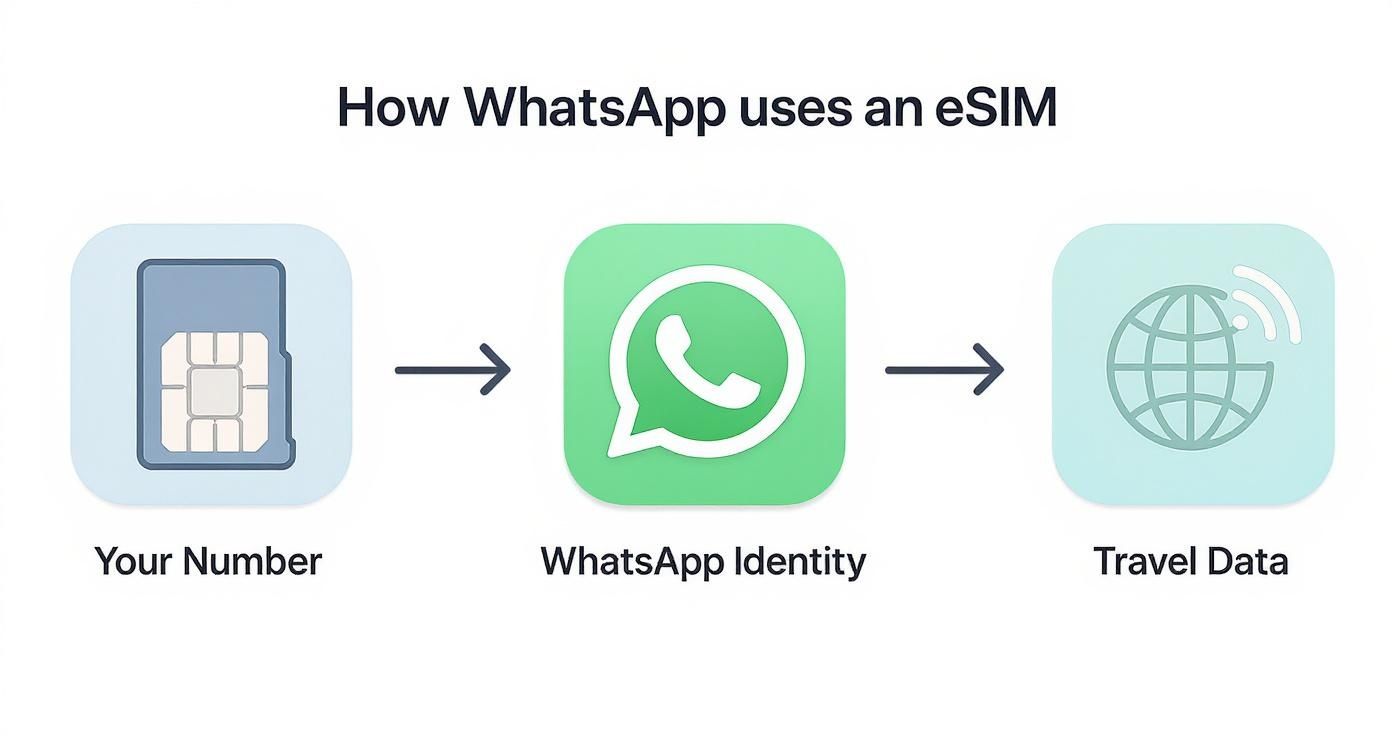
This simple diagram shows how your home number acts as your WhatsApp ID, while the travel eSIM provides the data to keep it running abroad.
As you can see, your original number is what secures your WhatsApp identity, which then seamlessly uses the internet connection from your new travel eSIM.
Assigning Roles: Who Handles Data?
With your SIMs clearly labeled, the final and most critical step is to tell your phone exactly how to use each one. You want your travel eSIM to handle all the internet-heavy lifting, while your home SIM stays quietly in the background, keeping your number active for calls and texts (if you choose).
This is where the magic happens. By directing all mobile data through your travel eSIM, you ensure every app that needs an internet connection—including WhatsApp—uses your affordable travel plan instead of racking up roaming fees.
Dual-SIM Settings on iOS vs Android
While the goal is the same, the exact path to get there can look a little different depending on your device. Here’s a quick reference guide to get you to the right settings.
Setting
iOS (iPhone)
Android (Varies by Manufacturer)
Go to Settings
Navigate to Settings > Mobile Service
Find Settings > Network & internet > SIMs (or similar)
Set Mobile Data
Under Mobile Data, select your travel eSIM (e.g., ‘Travel Data’)
Tap on your travel eSIM and enable ‘Mobile data’
Default Voice Line
Set Default Voice Line to your ‘Home’ number
Under Calls & SMS, select your ‘Home’ SIM for calls
Data Switching
Crucially, turn OFFAllow Mobile Data Switching
This setting may be called ‘Auto data switching’—ensure it is disabled
Making sure that data switching is turned off is perhaps the most important part of this whole process. It’s the ultimate safety net.
Key Takeaway: Always turn off ‘Allow Cellular Data Switching’ (or the Android equivalent). This single action prevents your phone from sneakily switching back to your expensive home data plan if the travel eSIM signal momentarily drops.
The great news for travelers is that most major mobile networks have fully embraced eSIM technology. This widespread support makes the dual-SIM strategy incredibly accessible, allowing you to keep your home WhatsApp number active anywhere in the world while using a data-only eSIM for cheap, reliable internet. It’s the best of both worlds: familiar communication without the shocking bill.
Handling the WhatsApp Number Change Alert
You’ve just landed, your travel eSIM is connecting to the local network, and suddenly a pop-up from WhatsApp appears. It’s asking if you want to switch your account to the new number from your eSIM. This moment can cause a little bit of panic, but don’t worry—this is completely normal, and sorting it is simple.
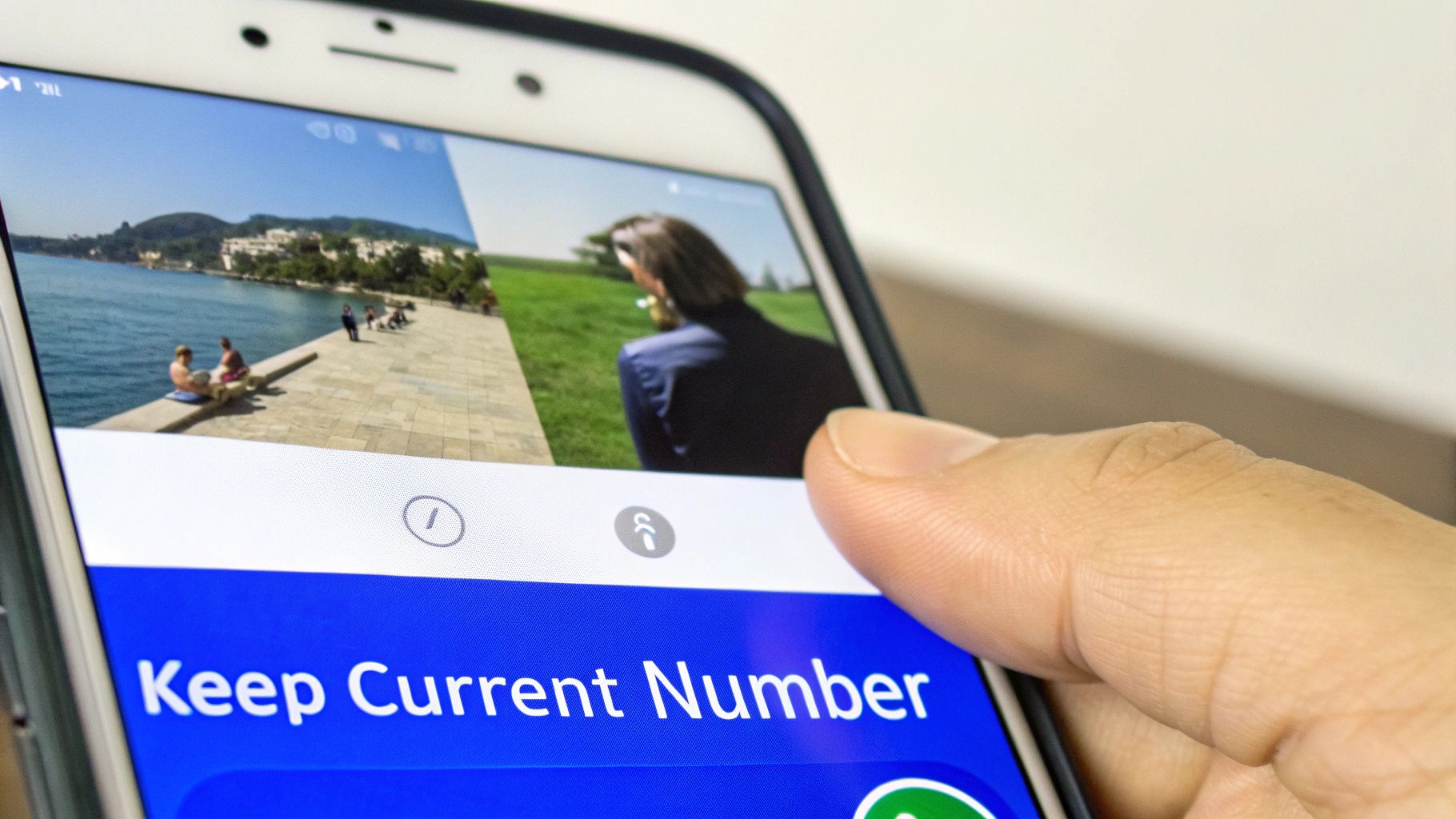
This alert just means WhatsApp has noticed there’s a new, active SIM in your phone. It’s giving you the option to update your account to match. The key is to always decline this offer.
Tapping “Keep [Your Number]” is the single most important thing you’ll do to make sure nothing changes with your account. You’re simply telling WhatsApp, “Thanks, but no thanks. I’ll stick with my original number.”
Why You Should Always Keep Your Original Number
Think of this pop-up as a fork in the road. One path keeps all your contacts and conversations just as they are, while the other leads to a lot of hassle.
Keeping your number tells WhatsApp to ignore the travel eSIM for anything account-related. Your chats, groups, and contact list will all stay put, letting you use the app seamlessly while abroad. This is exactly what you want.
Changing your number would start the process of moving your entire WhatsApp profile over to the temporary eSIM number. This is a dead end. Your contacts wouldn’t recognize the new number, and you’d lose access to the account as soon as the eSIM expires.
So, when you see that prompt, just confidently choose to keep your existing number. That’s really all there is to it.
What if I Accidentally Tap to Change It?
It happens. Jet lag is real, and it’s easy to mis-tap something on your screen. If you accidentally hit the button to change your number, take a breath. It’s not a done deal.
WhatsApp still needs to verify the new number, which usually involves sending an SMS. This is where a data-only eSIM becomes a bit of a lifesaver—it can’t receive SMS messages anyway, so the verification process will fail by default.
Traveler’s Tip: If you tap the wrong button, just close the app or navigate back. As long as you don’t actually complete the verification for the new eSIM number, your account will remain linked to your original number. No harm done.
Simply cancel out of the process, and your account will stay just as it was. This little safety net prevents a simple mistake from messing up your communications. It’s another reason why data-only travel eSIMs from providers like TapSim work so well; they physically can’t receive the verification texts needed to complete an accidental switch.
Travel-Tested Tips for a Perfect WhatsApp Experience
Getting your travel eSIM installed is half the battle, but a few extra habits can make the entire experience flawless. These are the small, practical tricks that prevent headaches and ensure your connection is solid from the moment you leave until you’re back home.
Think of this as your pre-flight digital checklist. A few minutes of prep now will give you total peace of mind when you’re thousands of miles away.
Safeguard Your Memories and Secure Your Account
Before you even think about packing, the single most important thing you can do is back up your WhatsApp chats. It takes a minute but protects years of conversations, photos, and memories.
On an iPhone: Just pop into WhatsApp and go to Settings > Chats > Chat Backup. Tap Back Up Now, and everything gets saved safely to your iCloud.
On an Android: The process is identical. Head to Settings > Chats > Chat Backup, and your backup will be stored on your Google Drive.
Another must-do is enabling two-step verification. This adds a personal six-digit PIN to your account. If your phone gets lost or stolen while you’re away, this PIN is the only thing stopping someone from activating your WhatsApp on a new device and getting into your private chats.
Seasoned Traveler’s Advice: I always perform a manual backup right before I leave for the airport. This little ritual ensures even the very last conversations are saved, giving me a complete record just in case the unexpected happens.
Manage Your Data and Devices Like a Pro
Your travel eSIM comes with a fixed amount of data, and you’ll want to make it last. The easiest win here is to change your media auto-download settings.
In WhatsApp, go to Settings > Storage and Data. From there, you can tell the app to only download photos, videos, and documents when you’re connected to Wi-Fi. It’s a simple tweak that stops your data allowance from being devoured by all the memes and videos in your group chats.
If you’re working on the go or just prefer a proper keyboard, linking WhatsApp to your laptop is a lifesaver. Using the “Linked Devices” feature means you can read and reply to messages right from your computer, with the connection powered by your travel eSIM. It’s perfect for firing off quick replies without constantly reaching for your phone.
Thankfully, finding a compatible phone is getting easier all the time. As of 2023, it’s estimated that a large majority of new smartphones now support eSIMs. This trend is a massive benefit for travelers, making it simple to keep your home number for WhatsApp while using an affordable travel eSIM for data. With plans offering anything from a few gigabytes to 200GB, you have plenty of flexible options for any trip.
Common Questions About WhatsApp and Travel eSIMs
Even with the best preparation, a few common questions always seem to come up on the road. Let’s walk through the queries I hear most often from travelers juggling WhatsApp and a new eSIM, so you can set off on your trip feeling completely prepared.
Think of this as your final checklist to clear up any last-minute doubts and make sure your communication is seamless from the moment you land.
Can I Still Get Calls and Texts on My Regular Number?
Yes, you can, but this comes with a huge caveat. If you leave your primary SIM active in your phone’s settings, you’ll still get incoming calls and SMS messages. Many travelers do this deliberately to catch crucial two-factor authentication codes from their bank or other services.
Just be incredibly careful. Your home mobile provider will almost certainly charge high international roaming fees for answering those calls or even replying to texts. A smart approach is to keep the line on just to see who’s trying to reach you, then use WhatsApp or another data-based app to respond. The golden rule is simple: make absolutely sure your travel eSIM is set as your only source for mobile data.
A Traveler’s Experience: On a recent trip to Europe, I left my primary SIM on to receive bank alerts. I got a single phone call that went straight to voicemail, and my provider back home still charged me a roaming fee for it. It wasn’t much, but it’s a perfect example of how quickly roaming costs can sneak up on you, even when you aren’t actively using the service.
What If My Phone Has One Physical SIM and One eSIM Slot?
This is the ideal setup for most modern smartphones and the very foundation of this travel connectivity strategy. You just keep your physical SIM card from back home in its slot—that’s the one tied to your verified WhatsApp number.
Then, you install your travel eSIM from a provider like TapSim, which becomes your passport to the internet abroad. In your settings, you just assign the jobs: your physical SIM is for your identity, and the new eSIM is purely for data. It’s the perfect blend of staying connected affordably without giving up your number.
Should I Keep My Home SIM in My Phone the Whole Time?
Your WhatsApp will work perfectly well using the eSIM’s data even if you take your home SIM out completely, but I’d strongly advise against it. There’s a really practical reason to keep it in.
Think about all the services you use: online banking, social media, maybe even WhatsApp itself. From time to time, they need to send a verification text to your main number for security. If your SIM card is tucked away in a drawer thousands of miles away, you’re cut off from those essential codes. Leaving it in your phone (with data roaming safely switched off, of course) means you’re always able to verify your identity and access your accounts without a hitch.
Can I Make WhatsApp Calls with a Travel eSIM?
Absolutely! This is one of the biggest perks of using a travel eSIM. WhatsApp voice and video calls don’t use old-school mobile network minutes; they simply run over the internet. As long as your travel eSIM gives you a decent connection, you can chat away just like you would at home.
For travelers, this is a game-changer. It means you can have long catch-ups with family, friends, and colleagues without ever worrying about the outrageous per-minute rates that traditional providers charge for international calls. It’s all powered by your much cheaper travel data plan.
Ready to travel without losing touch? With TapSim, you can get online in over 150 destinations in minutes. Stay connected with your existing WhatsApp number and avoid expensive roaming fees.
You’ve just landed in a new country, phone in hand, but the internet isn’t working. It’s a modern traveler’s nightmare, but don’t worry—the fix is usually surprisingly simple. Before you…
Dual SIM technology is a bit like having a hybrid car. It intelligently switches between two power sources to give you the best performance and efficiency. For your phone, this…
Figuring out how much data you’ll need for a trip can feel like a shot in the dark, but it really doesn’t have to be. For a standard week-long holiday,…
For any traveler, the best pay-as-you-go (PAYG) option is almost always a modern eSIM. Think about it from a practical standpoint: you get instant activation right from your phone, transparent…
Getting a new iPhone is always exciting, but for a traveler, ensuring your eSIM transfers smoothly is crucial. Whether it’s your primary number or a travel data plan for an…
Activating a travel eSIM is one of the smartest pre-trip tasks you can do, and it’s much simpler than it sounds. Think of it as a digital SIM card that…
Not long ago, staying connected abroad meant navigating a minefield of eye-watering roaming charges or scrambling to find a local SIM card the moment you landed. Thankfully, things have moved…