Istanbul Airport free WiFi login requirements: A Traveler’s Guide
Share:
Landing at Istanbul Airport (IST) and need to get online? As one of Europe’s busiest hubs, according to a late 2023 report from ftnnews.com, a smooth connection is essential. Whether you’re checking your gate or letting family know you’ve arrived, getting online quickly makes all the difference.
This guide walks you through connecting to the ‘TK WiFi’ service. There are two main ways to log in, and knowing which one to choose can save you a lot of hassle.
How to Log In to the Istanbul Airport WiFi
Once you select the ‘TK WiFi’ network on your device, you’ll have a choice: get a code via SMS or use a kiosk with your passport.
SMS Verification: This is the most direct method. You enter your mobile number, and a verification code is sent to you via text. It sounds simple, but it depends on your phone being able to receive international SMS messages, which isn’t always a guarantee, especially if you’re not sure about your roaming plan.
Passport Kiosk: You’ll find dedicated WiFi kiosks scattered throughout the terminals. Here, you scan your passport’s photo page, and the machine prints a receipt with a unique username and password. This is the most reliable option for international travelers who are unsure about their mobile roaming setup.
Be aware that the free WiFi session only lasts for one hour. You can reconnect after it expires, but you’ll have to go through the login process again. If you need uninterrupted internet, a travel eSIM is a much better option.
Understanding these two Istanbul Airport free WiFi login requirements before you land makes the whole experience smoother.
Choosing Your Istanbul Airport WiFi Login Method
Here’s a quick comparison to help you decide which method is right for you.
Login Method
What You Need
Best For
Potential Issues
SMS Verification
A mobile phone able to receive texts
Travelers with a confirmed international roaming plan that includes SMS.
Not receiving the text due to network restrictions; potential roaming charges.
Passport Kiosk
Your physical passport
Most international visitors, especially those without roaming or a local SIM.
Having to find a kiosk; potential queues during peak times; needing to keep the paper slip safe.
The passport kiosk is a solid fallback for almost everyone, but if you know your phone can receive texts abroad, the SMS route is definitely faster. For anyone who wants to skip this process entirely, an eSIM from a provider like TapSim is a great solution for instant connectivity without worrying about time limits.
Getting Online: Your Two Choices – SMS or Passport Kiosk
Once you’ve found the “TK WiFi” network and connected, you’ll hit the login page. This is where you have to make a choice. Istanbul Airport offers two ways to get your free hour of internet, and knowing how each works can save you a lot of stress.
The SMS Gamble
The first option you’ll see is verification by SMS. It sounds simple enough: enter your country code and mobile number, and a code gets texted to you. Easy, right?
Well, sometimes. For international travelers, this method can be a bit of a lottery. It all depends on whether your home mobile plan is set up to receive international texts instantly while you’re abroad. If you’re not sure about your roaming setup, you could be left waiting for a code that never arrives. It’s a frustrating start to any trip.
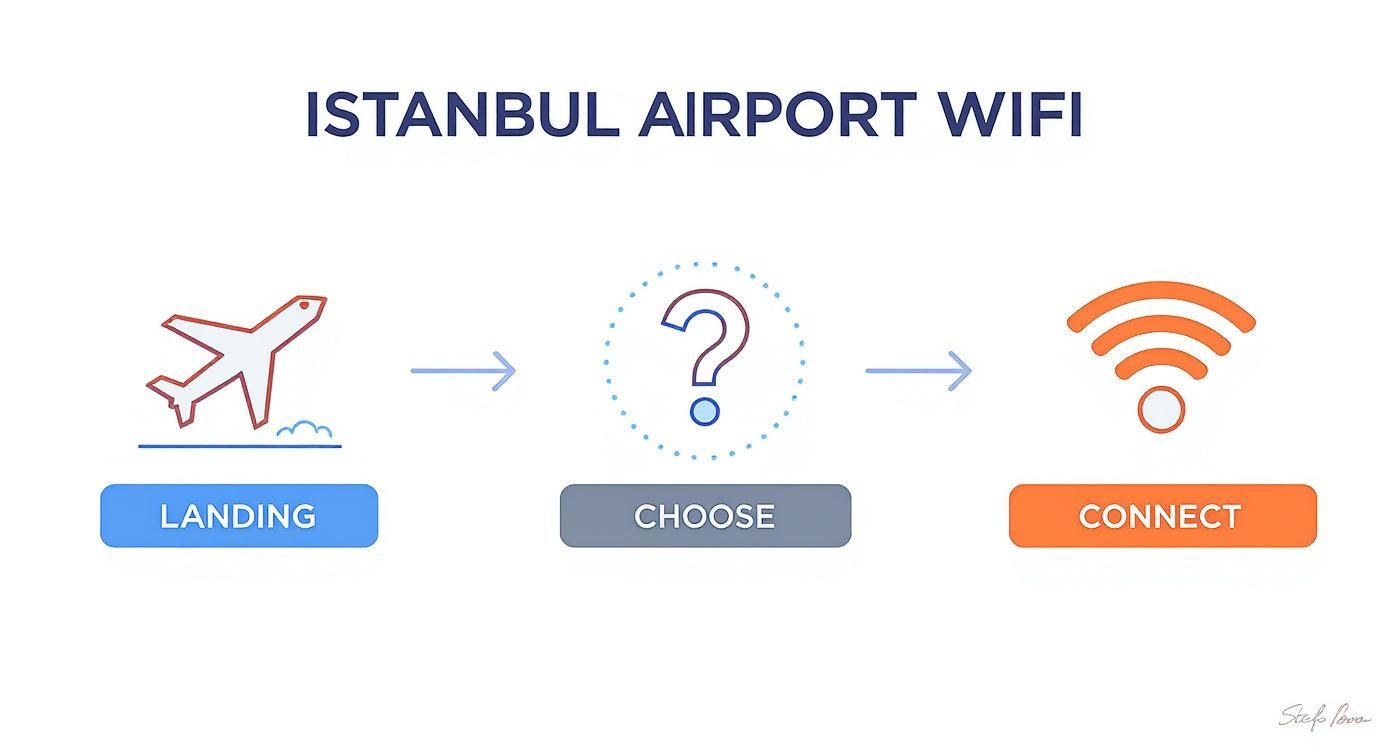
This quick overview shows you the path from landing to getting connected.
The crucial step is deciding between SMS and the kiosk, as this choice determines how quickly and reliably you get online.
The Passport Kiosk: Your Most Reliable Bet
If the SMS option feels too risky or you just want to avoid potential roaming charges, your best move is to find one of the dedicated WiFi kiosks. Think of them as your guaranteed ticket to the internet.
These self-service machines are located throughout the airport, so you’re never too far from one. For instance, you’ll find 12 kiosks in the Bosphorus area alone, with plenty more scattered near departure gates and in the arrival halls. If you’re unsure where to look, Turkish Airlines has more details on their locations.
The process at the kiosk is refreshingly straightforward. Just walk up, place the photo page of your passport under the scanner, and the machine will immediately print out a little paper slip with a unique username and password.
Take that slip back to your device, enter the details into the WiFi login page, and you’re in. It’s a foolproof method that completely bypasses your mobile network.
Tips for a Flawless Kiosk Connection
To make it even quicker, keep these pointers in mind:
Be Prepared: Have your passport out and open to the main photo page before you get to the machine.
Snap a Photo: That little paper slip is small and easy to misplace. As soon as it prints, take a quick picture of it with your phone so you have a digital backup.
Dodge the Crowds: The kiosks located just past security or passport control are almost always the busiest. Take a short walk further into the terminal—you’ll often find a machine with no one waiting.
While both methods work, my advice for most international travelers is to head straight for a passport kiosk. Of course, with a travel eSIM from a provider like TapSim, you can have secure data the moment your plane lands, skipping this entire process.
What to Expect From the Free Airport WiFi
So, you’ve sorted the login and you’re finally online. What’s the connection actually like? The first thing you need to know is that the free session is strictly limited to one hour.
Once your 60 minutes are up, you’ll be disconnected. If you’ve got a long layover, you’ll have to go through the sign-up process again – either getting another SMS code or heading back to a kiosk. For a quick flight status check or firing off a few messages, it’s perfectly adequate.
But if you were hoping to stream a movie or get a solid block of work done, that one-hour countdown can become a real headache.
Performance and Speed
Let’s talk about how well it actually works. Surprisingly, the WiFi at Istanbul Airport is impressively quick for a free public network.
In fact, IST consistently ranks among the top airports in the world for internet speeds. Some reports show its free WiFi hitting median download speeds of over 250 Mbps, which is more than enough for smooth video calls or streaming. You can dig into the specifics in this MESComputing report on airport WiFi.
The big catch, of course, is that these speeds aren’t guaranteed. During peak hours, when the terminal is packed with thousands of people trying to connect at once, you’ll almost certainly notice things slow down.
Paid Options and Backup Plans
What happens if you need more than that free hour? Istanbul Airport does offer paid WiFi packages. You can usually buy hourly or daily passes right from the login portal with a credit card.
This can be a decent option for a long layover, but it’s another task to deal with and an extra cost. For most travelers, a bit of forward planning is a much better strategy.
Download content before you fly: Before you head to the airport, download any movies, playlists, or offline maps you’ll want. If you’re curious, our guide on how much data Google Maps uses can help you prepare.
Check out airport lounges: Many airline lounges offer their own private, unlimited WiFi networks that are separate from the main airport service and usually more reliable.
Bring your own data: Ultimately, the only truly dependable solution is to have your own internet connection. With a travel eSIM from TapSim, you can activate a data plan the moment you land, giving you instant internet access without worrying about time limits or crowded networks.
Troubleshooting Common Connection Problems
Let’s be honest, airport WiFi can be temperamental. If you’re struggling to get online at Istanbul Airport, don’t worry. These are common glitches that even seasoned travelers run into, and the fixes are often simple.
That SMS Code Never Arrived
You’ve done everything right—selected the SMS option, carefully typed in your number, and now… you’re just waiting for a code that seems to have vanished. This is, without a doubt, the most frequent snag for international visitors.
The problem isn’t the airport’s system; it’s usually your home mobile plan. It might not be set up to receive international roaming texts instantly.
My best advice? Don’t waste time restarting your phone or trying the SMS option again. The quickest and most reliable solution is to find a WiFi kiosk and use your passport for verification instead.
This method cuts your mobile network out of the equation entirely, so you’re practically guaranteed to get a working code on the spot.
The Login Page is a No-Show
Here’s another classic airport WiFi headache: your phone says you’re connected to the “TK WiFi” network, but when you open your browser, the login page refuses to appear.
This is almost always an issue with your device or browser, not the airport’s network. Before you get frustrated, run through these quick fixes:
The Classic Off-and-On: It sounds too simple, but it works. Turn your device’s WiFi off, wait about 30 seconds, and then turn it back on. Reconnecting often gives it the nudge it needs to load the portal.
Clear Your Browser Cache: Sometimes your browser holds on to old data that blocks the login page. A quick clear of your browser cache and cookies can solve this in seconds.
Force the Portal to Appear: Modern browsers and secure (HTTPS) websites can sometimes prevent a login portal from loading. Manually open your browser and type in a non-secure website address (one that starts with http://, not https://). A good one to try is http://neverssl.com—its whole purpose is to trigger these kinds of login pages.
If you’ve tried these and are still stuck, it could be that the network is unusually crowded. For more general advice on resolving connectivity issues, our comprehensive troubleshooting mobile data travel guide has plenty of tips that can help.
A Smarter Way to Stay Connected in Istanbul
While the free WiFi at Istanbul Airport is useful for sending a quick message, it’s not really built for the modern traveler. With a long layover, the one-hour time limit means you’re constantly getting booted off and forced to log back in.
And let’s be honest, public networks are never the most secure option. When you’re dealing with flight bookings or personal emails, a shared connection adds a layer of risk you don’t need. This is where a travel eSIM completely changes the game, giving you your own private, hassle-free data from the moment you land.
Land and Connect Instantly
Picture this: your flight has just touched down at IST. Instead of searching for a WiFi kiosk, you’re already online. You’re booking a ride-share, checking the Metro schedule, or letting family know you’ve arrived safely while everyone else is still trying to connect.
That’s the beauty of a travel eSIM. It completely sidesteps the Istanbul Airport free WiFi login requirements. With TapSim, travelers can activate data instantly before takeoff. The moment you land in Turkey, you just turn on your eSIM, and your phone connects to a local network.
Your connection is secure, private, and ready the second you need it—not just for an hour at a time. It’s the smoothest possible start to your trip.
Beyond the Airport Walls
The real value of an eSIM comes once you step outside the terminal. The airport WiFi is a temporary fix, but an eSIM gives you data for your entire journey. Think about navigating the Grand Bazaar with Google Maps, looking up restaurant reviews in Karaköy, or booking last-minute tickets to the Hagia Sophia. Your connection is just there, always on.
For anyone planning to explore more of the country, reliable data is a must-have. You can find out more about staying connected with an eSIM for Turkey and see how a little preparation can make your whole trip easier.
Here’s a quick comparison of what you get with the airport’s free service versus a dedicated travel eSIM.
Free Airport WiFi vs TapSim eSIM
Feature
Istanbul Airport Free WiFi
TapSim eSIM for Turkey
Connection Time
Limited to one-hour sessions
Continuous, based on your data plan
Security
Public, shared network with potential risks
Private, secure connection for your device only
Accessibility
Only available within the airport terminal
Works from the moment you land, across the country
Convenience
Requires repeated logins via SMS or kiosk
Activate once and enjoy seamless connectivity
While the free WiFi is there in a pinch, an eSIM is a small investment for a much smoother, more secure, and stress-free travel experience.
Your Pre-Flight Connectivity Checklist
A little preparation before you leave for Istanbul can make a world of difference when you land. Running through a quick checklist means you’ll touch down ready to go, skipping the stress of trying to get online in a crowded arrivals hall.
First, take a quick look at your current mobile plan. Find out if you can receive international SMS messages without getting hit with high roaming charges. This is key, as it’s the main way you’ll verify your identity for the airport’s free WiFi. If your plan doesn’t cover it, you’ll need another option.
Getting Ready for Online and Offline Access
I always recommend downloading a few key things to your phone before you take off, just in case you can’t get online immediately.
Offline Maps: Download a map of Istanbul on Google Maps or your preferred app. It’s a lifesaver for finding your way to your hotel without needing a data connection.
Essential Apps: Double-check that your airline and hotel booking apps are downloaded and up to date. Having your confirmation details ready offline is always a good idea.
The single best piece of advice I can give, though, is to get a travel eSIM sorted before you fly. An eSIM lets you bypass the Istanbul Airport free WiFi login requirements entirely. You can activate your data plan the moment you land, letting you order a ride or let your family know you’ve arrived while everyone else is hunting for a WiFi kiosk.
Arriving with your internet connection already sorted is the best way to guarantee a smooth, hassle-free start to your Turkish adventure.
For a reliable and affordable option, check your phone’s compatibility and grab a data plan for Turkey from TapSim.net. It takes just a few minutes to set up at home but saves you a huge amount of time and frustration when you get there.
Got Questions About The Airport WiFi?
Getting online at a massive airport like Istanbul can feel a bit confusing. Let’s clear up some of the most common questions travelers have.
Is The WiFi At Istanbul Airport Actually Free And Unlimited?
It’s free, yes, but definitely not unlimited. You’re given a complimentary one-hour session. After that hour is up, your connection will drop.
You can often start another session, but you’ll have to go through the whole sign-in process again, either with another SMS code or by visiting a kiosk. If you have a long layover or need to get some work done, this can become a real hassle. For constant, reliable internet, a travel eSIM is a much better bet.
What If I Can’t Get The SMS Verification Code?
This happens all the time, especially for international visitors whose home mobile plans don’t include receiving texts abroad. Don’t worry! The easiest fix is to find one of the dedicated WiFi kiosks scattered around the terminals.
Pro Tip: Head straight for a kiosk. You just scan the photo page of your passport, and it prints out a small receipt with a unique username and password. This is your most reliable way to get online if the SMS system fails you.
Is The Public Airport WiFi Safe For Things Like Banking?
As with any public network, you have to be careful. The connection isn’t fully secure, so it’s not a good idea to log into your bank account, enter credit card details, or handle sensitive work emails without extra protection.
If you need to do anything that requires a secure connection, using your own private data through a travel eSIM is a far safer option. It creates a secure connection just for you, keeping your personal information away from any potential risks on the shared airport network.
For a secure and instant connection the moment you land, avoiding all Istanbul Airport free WiFi login requirements, check out the affordable data plans available from TapSim.
You’ve just landed in a new country, phone in hand, but the internet isn’t working. It’s a modern traveler’s nightmare, but don’t worry—the fix is usually surprisingly simple. Before you…
Dual SIM technology is a bit like having a hybrid car. It intelligently switches between two power sources to give you the best performance and efficiency. For your phone, this…
Figuring out how much data you’ll need for a trip can feel like a shot in the dark, but it really doesn’t have to be. For a standard week-long holiday,…
For any traveler, the best pay-as-you-go (PAYG) option is almost always a modern eSIM. Think about it from a practical standpoint: you get instant activation right from your phone, transparent…
Getting a new iPhone is always exciting, but for a traveler, ensuring your eSIM transfers smoothly is crucial. Whether it’s your primary number or a travel data plan for an…
Activating a travel eSIM is one of the smartest pre-trip tasks you can do, and it’s much simpler than it sounds. Think of it as a digital SIM card that…
Not long ago, staying connected abroad meant navigating a minefield of eye-watering roaming charges or scrambling to find a local SIM card the moment you landed. Thankfully, things have moved…