What Is Data Roaming? A Traveler’s Guide to Avoiding Costly Mobile Bills
Share:
Travelers often wonder what is data roaming, how it works and how to keep bills in check. In this guide, you’ll explore practical steps—from phone settings to eSIM options—that experienced travelers use to stay online affordably.
In this guide:
Understand what data roaming means and how it works
Learn why roaming charges can climb and how to avoid surprises
Discover simple phone tweaks to manage usage
Compare eSIM plans for fair, fast, and honest pricing
Read real traveler stories and cost comparisons
Understanding What Data Roaming Means
Data roaming is like your phone borrowing a local network when you step abroad. It keeps maps, email and messaging apps running—but it can also rack up fees per megabyte if you’re not careful.
How Your Phone Hops Networks
When you land in a new country, your SIM scans for any available signal. It automatically ‘handshakes’ with a local carrier, much like a guest checking into someone else’s Airbnb.
You’ll spot different carrier names or icons in your status bar.
Your home network’s wholesale agreements set the fees you see.
These roaming rates often exceed local data bundle prices.
Why Charges Can Mount Quickly
Default settings let apps update in the background without asking. A forgotten photo backup or map refresh can send your invoice soaring in minutes.
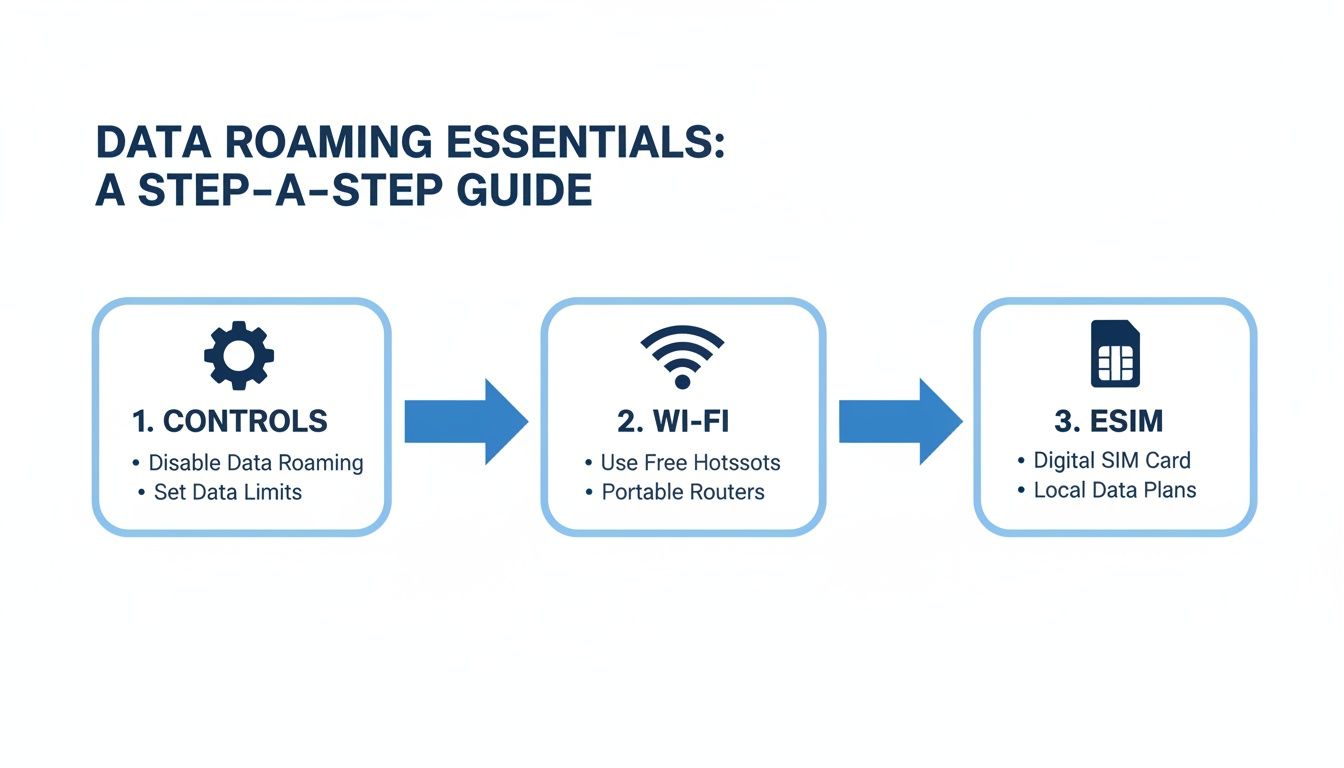
Three Steps To Avoid Bill Shock
Before you travel, lock down your data usage with this three-point plan:
Customise Phone Controls: disable background data, set daily usage alerts.
Use Secure Wi-Fi Hotspots: connect only at trusted cafés, hotels or public centres.
Switch to an eSIM: choose transparent data packs that display costs up front (see TapSim plans on TapSim.net).
Here’s a quick overview of the main points:
Data Roaming Quick Summary
Aspect
Explanation
Definition
Phone uses a local network when your home SIM signal is unavailable.
Automatic Network Switch
Handshake between your SIM and local carriers shows new operator.
Charges
Fees charged per megabyte based on wholesale agreements.
Local Data Bundles
Prepaid local plans often offer lower rates than roaming.
Default Settings
Background updates and app syncing can drive up costs unexpectedly.
Cost-Saving Tips
Disable background data, stick to trusted Wi-Fi, or opt for an eSIM.
Armed with these essentials, you can stay connected abroad without surprise bills. Next, we’ll explore how data roaming really works behind the scenes.
Understanding How Data Roaming Works
It’s easy to take for granted that your phone simply works abroad. But each time you cross a border, your data embarks on a carefully choreographed journey.
Imagine your data as a train carriage booking a slot on foreign tracks, steered by carrier agreements. As soon as your device crosses into a new country, it scans for local towers. Then it performs an automatic handshake—an authentication signal that means “I have permission to board.”
Key Steps In Data Roaming
Automatic Network Handoff
Your SIM searches for and latches onto a compatible foreign tower.
Authentication And IMSI Lookup
The network verifies your SIM credentials behind the scenes.
Session Establishment
A secure data tunnel opens according to roaming agreements.
Billing Trigger
Every byte you use is logged for prepaid or postpaid billing.
At its core, data roaming is your home SIM tapping into foreign networks so you can browse, stream or message from almost anywhere. Since free EU roaming ended, using data abroad often comes with extra fees. Data use on roaming trips has exploded—in some markets, average usage per SIM jumped from 1.26 GB in 2016 to a projected 98.34 GB by 2025.
Negotiation And Billing Triggers
While you enjoy seamless browsing, carriers negotiate wholesale fees behind the scenes. These deals cover the cost of accessing foreign towers, currency conversion and local taxes.
The silent handshake between your SIM and a foreign network can trigger charges you don’t notice until the bill arrives.
When you step outside your home network, your phone quietly hooks onto a local carrier. That’s data roaming in action. Yet, without keeping an eye on it, those charges can stack up in no time.
Common Pricing Models
Per-MB Rates – often £0.02–£0.10 per megabyte, so every social media scroll or map refresh adds to the total.
Daily Flat Fees – typically £5 to £15 per day. Simple, but they multiply fast on longer trips.
Tiered Data Bundles – packages like 500 MB or 1 GB come with a warning: blow past the limit and overage charges kick in.
For example, streaming a ten-minute HD video can gobble dozens of megabytes in seconds, leaving your roaming tab much larger than you expected.
Data use on roaming journeys has soared—driven by 5G rollouts and video streaming surges. Video alone jumped from 0.83 GB in 2017 to an estimated 24.76 GB per month by 2021.
Usage Spikes And Hidden Triggers
HD Video can burn through 100 MB in just a few minutes.
Cloud Backups kick in whenever your device senses power and signal—often without a prompt.
5G Downloads are blisteringly fast, which means your data allowance disappears even quicker.
“Unlimited at home often feels unlimited abroad—until roaming charges hit.”
5G Speed And Higher Bills
Next-generation networks deliver content in a flash, but they also ramp up data consumption. What might have used 300 MB on 4G could easily double on 5G thanks to higher default resolutions.
Post-Brexit Surcharges
When EU free roaming ended, many operators reintroduced daily fees and per-unit surcharges. In short, the roaming perks you enjoyed before now come with extra costs at every border crossing.
Understanding these cost drivers lets you monitor your usage and tweak settings—think streaming quality, background syncs and map updates—to avoid nasty surprises. Next, we’ll explore simple phone tweaks that keep your roaming bill under control.
Manage Data Roaming Costs With Simple Settings
Before you jet off, spending a couple of minutes tweaking your phone can save you from a nasty bill later. Switch off automatic network handovers so your data only runs when you want it to. Then set up warnings and Wi-Fi priorities to steer heavy tasks onto cheaper connections.
“A minute of setup saves hours of worrying over your bill,” says a frequent nomad.
Key Settings Checklist
Disable Automatic Roaming
Settings > Cellular (or Mobile) > switch off data roaming.
Set Data Usage Warnings
Create alerts at 50 MB and 100 MB so you know before you hit your cap.
Prioritise Wi-Fi For Heavy Apps
Force apps like video players or cloud-backup tools to run only on trusted Wi-Fi.
These simple steps ensure you stay in control of your data use.
Platform Specific Tips
Setting Area
iOS Steps
Android Steps
Roaming Toggle
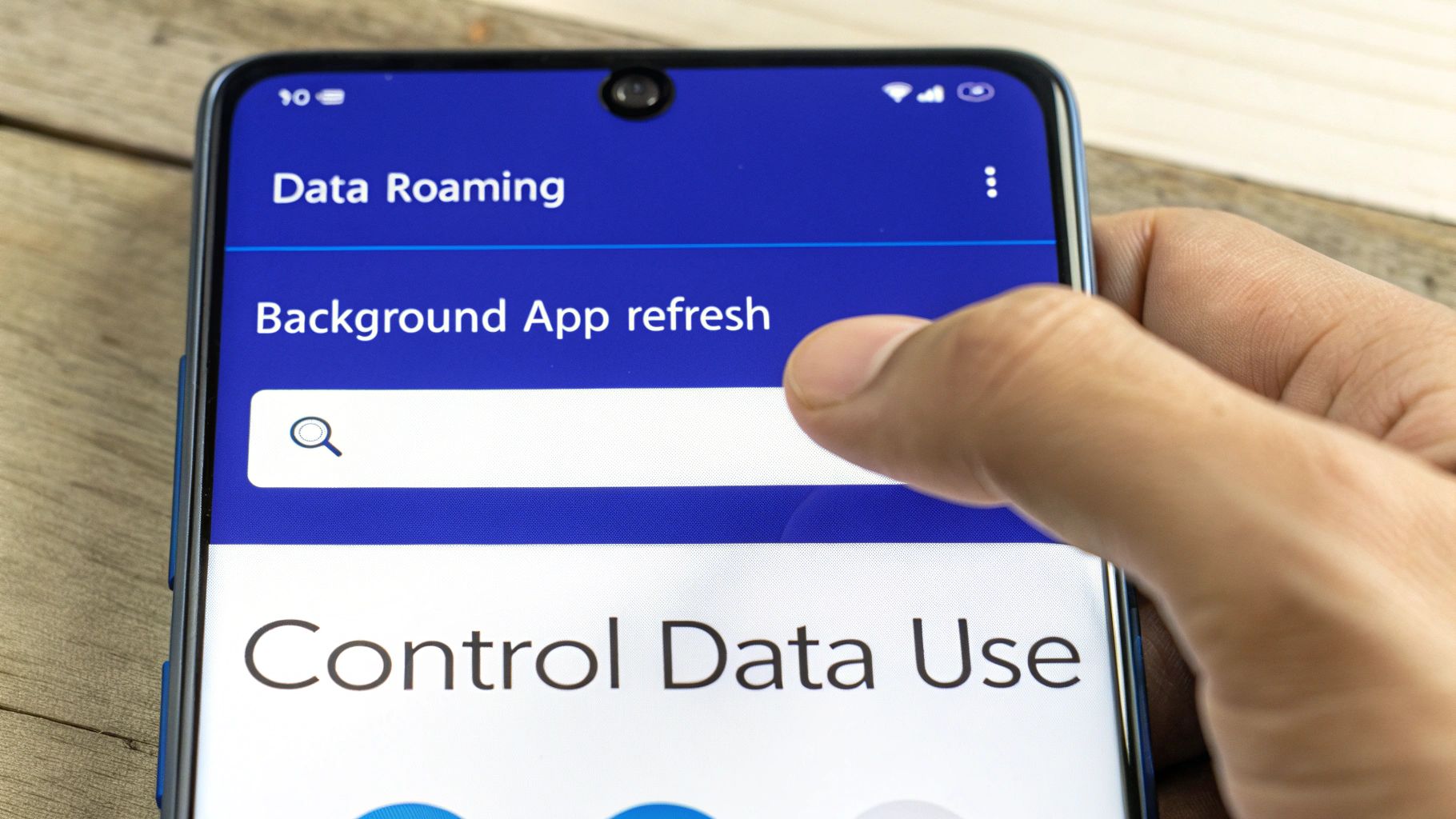
Settings > Cellular > Cellular Data Options
Settings > Network & Internet > Mobile
App Refresh Control
Settings > General > Background App Refresh
Settings > Apps > Background Data
Dual-SIM Assignment
Settings > Cellular > eSIM > Default Line
Settings > Network & Internet > SIMs
When you arrive, switch your dual-SIM mode so that only your travel line carries data.
Dual-SIM Mode And Offline Maps
Most modern handsets let you juggle a physical SIM and an eSIM. By routing data through your travel line, your home SIM stays dormant—and data-hungry apps can’t sneak on board.
Insert or activate your travel eSIM profile
Assign mobile data exclusively to that travel line
Download offline map packages in your maps app
Disable background data for non-essential apps
These steps make sure your device only pulls data from the source you choose. For iPhone users needing more detail, read our guide on turning off roaming on iPhone: Check out our guide on turning off roaming on iPhone.
Manage Background Sync And Updates
It’s easy to forget that apps sync and update behind the scenes, quietly eating into your allowance.
Disable Auto-Updates in the App Store or Play Store settings
Turn off Background Data for photos, email and social media apps
With TapSim, travelers can lock down unwanted data streams before takeoff. Explore TapSim eSIMs right now.
Choose eSIM for Affordable Travel Data
Switching to an eSIM hands you control over your roaming fees before you even leave home. No more surprises on your bill—every cost is visible when you pick a plan.
And since everything lives on your phone, there’s no need to worry about swapping tiny SIM cards or misplacing plastic trays. You settle on a package in seconds and get on with your trip.
Why eSIM Works Better
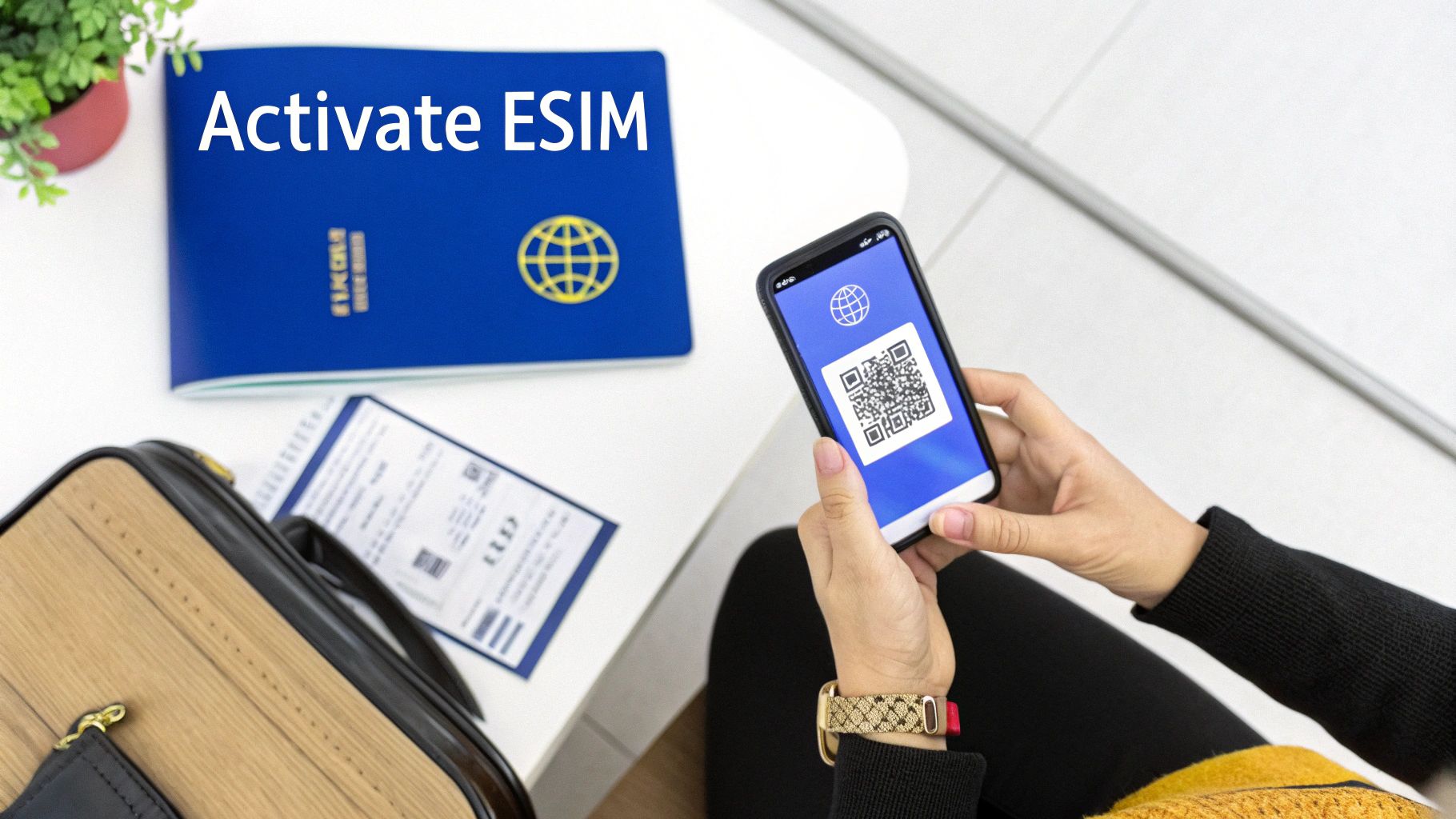
Think of an eSIM as a digital ticket that holds multiple data profiles ready to go. You simply scan a QR code, and moments later your plan springs to life—no physical card required.
Transparent Pricing shows full package costs up front so you avoid hidden fees.
Global Coverage lets you tap into 150+ destinations without changing carriers.
Instant Activation means data is live as soon as you land.
Top Ups On Demand allow you to add more data at fair rates whenever you need it.
“I saved 60% on data costs by switching to an eSIM,” says a seasoned traveler.
Key Features To Look For
Fair-Use Policy that throttles speeds after a set limit but keeps essential access.
Hotspot Sharing so you can power up your laptop or tablet on the move.
Flexible Validity Options offering plans from one day up to thirty days.
How To Activate On TapSim
Visit TapSim.net and choose your destination package.
Complete payment and your QR code appears on screen.
Scan the code in your phone’s Settings under Add Cellular Plan.
Select the eSIM as your mobile data source when you arrive.
Feature
Physical SIM
eSIM on TapSim
Setup Time
1–2 days with shipping
Minutes with QR code
Hidden Fees
Often unclear roaming costs
Transparent pricing
Coverage
Single carrier per SIM
150+ networks
Top Up
New SIM pack required
On-demand via app
Traveler Example
Jade, a digital nomad from Manchester, traveled across four Asian countries with one eSIM. She activated each plan in under two minutes and sidestepped per-MB roaming traps everywhere she went.
“Using one TapSim eSIM, I saved over £80 on data,” Jade reports.
This real-world result shows that an eSIM is perfect for multi-stop trips. By choosing an eSIM, you keep roaming costs in check and enjoy straightforward support from TapSim.
Check available eSIMs on TapSim.net with full-speed allowances and simple top-ups to stay online without surprises.
Learn more about TapSim’s worldwide eSIMs at TapSim.net.
Real World Examples Of Roaming Savings
When the bill lands, it can feel like a leak in your budget. These travelers decided to plug the hole—and came out ahead.
James, a digital nomad, tracked roaming costs across six European countries. Midway through his two-week tour, he switched to an eSIM and slashed his data spend by 60%.
His original roaming pass set him back £45 for 500 MB.
A local SIM would have given him 1 GB for €15.
With a TapSim eSIM, he enjoyed 5 GB for just £18.
“In one trip alone, I saved over £80 thanks to the eSIM,” James says.
Emma, exploring Rome, discovered the hard way that streaming on the move can be pricey. A single day of video pushed her roaming bill over £50. She now toggles off mobile data and hunts down café Wi-Fi before hitting play again.
Meanwhile, in Bali, Lucas started with a roaming pass at €30 for 1 GB. Mid-adventure he installed a TapSim eSIM—and that same gigabyte cost him just €8.
Roaming one-gig: €30
TapSim eSIM one-gig: €8
“It’s amazing how small tweaks can build up into big savings,” Lucas notes.
Lessons From Travelers
Here’s a quick look at one day’s data costs. We’ve compared three common options to keep things simple.
Option
Data Allowance
Estimated Cost
Roaming Pass
500 MB
£45
Local SIM
1 GB
€15
TapSim eSIM
2 GB
£12
This snapshot shows how choosing an eSIM can roughly halve your spend. Whether you grab a local SIM or pick a TapSim eSIM, a bit of planning and the right settings mean zero surprises on your bill. Just watch your network indicators and cap background apps, and you’ll enjoy worry-free data wherever you roam.
Frequently Asked Questions
When Does My Phone Start Roaming Abroad?
As soon as your home SIM latches onto a foreign network, roaming kicks in. That handshake with a local tower typically triggers **per-MB charges. Fees can vary widely depending on both the country you’re in and your specific plan.
How To Check Roaming Rates
Before you travel, open your carrier’s app and look under Data Roaming or International Settings. You should see:
Your plan’s daily flat fee and **per-MB rate
Any currency conversion surcharges
A quick comparison with local data bundles or eSIM offers
Expert Tip
On public Wi-Fi, always run a VPN to keep your emails, passwords and banking details safe.
Is Public Wi-Fi Safe For Sensitive Tasks?
Public hotspots are handy but notoriously vulnerable. If you need to check email, manage online banking or transfer files, it’s best to wait for a secured network—or at least use a reliable VPN.
How Can I Use An eSIM Alongside My Main SIM?
Most modern phones support dual SIM functionality. To add a travel eSIM:
Scan the QR code supplied by your eSIM provider
In your phone’s Mobile Networks settings, designate the eSIM for data
Keep your home SIM active for calls and SMS
These simple steps help you steer clear of surprise bills and stay in control of your data spend.
Check available eSIMs on TapSim: TapSim
Learn more about TapSim’s global travel eSIMs at TapSim.net
You’ve just landed in a new country, phone in hand, but the internet isn’t working. It’s a modern traveler’s nightmare, but don’t worry—the fix is usually surprisingly simple. Before you…
Dual SIM technology is a bit like having a hybrid car. It intelligently switches between two power sources to give you the best performance and efficiency. For your phone, this…
Figuring out how much data you’ll need for a trip can feel like a shot in the dark, but it really doesn’t have to be. For a standard week-long holiday,…
For any traveler, the best pay-as-you-go (PAYG) option is almost always a modern eSIM. Think about it from a practical standpoint: you get instant activation right from your phone, transparent…
Getting a new iPhone is always exciting, but for a traveler, ensuring your eSIM transfers smoothly is crucial. Whether it’s your primary number or a travel data plan for an…
Activating a travel eSIM is one of the smartest pre-trip tasks you can do, and it’s much simpler than it sounds. Think of it as a digital SIM card that…
Not long ago, staying connected abroad meant navigating a minefield of eye-watering roaming charges or scrambling to find a local SIM card the moment you landed. Thankfully, things have moved…