Does WhatsApp Work in Dubai Without a VPN? A Traveler’s Guide to Staying Connected
Share:
Planning a trip to Dubai and wondering if you can use WhatsApp to stay in touch with family and friends? The answer is a mix of yes and no, and knowing the difference is key to a smooth trip.
Here’s the straightforward breakdown: text messaging, sending photos, and sharing voice notes on WhatsApp work perfectly fine in Dubai. Whether you’re using hotel Wi-Fi or mobile data, your chat features will run without a hitch. However, the moment you try to make a voice or video call, it simply won’t connect.
Why Are WhatsApp Calls Blocked in Dubai?
This isn’t a glitch with your phone or a spotty network. The restriction on voice and video calls, known as VoIP services, is a deliberate policy from the UAE’s telecommunications regulators. This means that while your group chats can stay active, you’ll need a different plan for actually speaking to someone.
For most travelers, getting online the moment you land is the top priority. This is where having mobile data ready is a lifesaver, letting you use maps, book a ride, or send that “I’ve arrived safely!” WhatsApp message. A practical step is to get a prepaid eSIM for the UAE before you leave home; your phone connects to a local network as soon as you touch down.
To make things crystal clear, here’s a quick breakdown of what you can and can’t do with WhatsApp in Dubai.
WhatsApp Functionality in Dubai at a Glance
This table sums up what to expect when using WhatsApp on a standard mobile data or Wi-Fi network in the UAE without a VPN.
WhatsApp Feature
Status in Dubai (Without VPN)
Common Experience
Text Messaging
Works
Sending and receiving texts, emojis, and links is seamless.
Photo & Video Sharing
Works
You can send and receive media files in chats without any issues.
Voice Notes
Works
Recording and listening to voice messages works perfectly.
Status Updates
Works
You can post and view status updates as usual.
Voice Calls
Blocked
The call will try to connect but will ultimately fail or “ring” endlessly.
Video Calls
Blocked
Similar to voice calls, video calls will not connect to the other person.
Knowing these limitations upfront is half the battle. It lets you plan ahead so you’re not caught off guard when you try to make that first call.
The bottom line for any traveler is to prepare before you fly. Knowing your texts will go through but calls won’t means you can sort out your communication tools before you even pack, ensuring a much smoother and stress-free trip.
With that clear, we can dive into the why behind these rules and, more importantly, explore the practical and safe alternatives you can use to make calls during your stay in Dubai.
So, Why Are WhatsApp Calls Blocked in Dubai?
If you’ve ever landed in Dubai and found you can text on WhatsApp but can’t make a call, you’re not alone. It’s a common source of confusion, but it’s not a glitch with your phone or a problem with the app. The block is intentional, and it all comes down to local telecommunications policy in the United Arab Emirates.
The organization responsible is the UAE’s Telecommunications and Digital Government Regulatory Authority, or TDRA. They set the rules for all internet services, including Voice over Internet Protocol (VoIP)—the technology that powers voice and video calls on apps like WhatsApp, FaceTime, and Skype.
It’s All About Local Regulations
So, what’s the real reason for the block? In short, it’s about protecting the business of the country’s own licensed telecom providers. Local companies have invested heavily in building their network infrastructure, and a significant part of their revenue comes from their own paid international calling services.
Allowing free VoIP calls on apps like WhatsApp would create direct competition. To prevent this, the TDRA’s regulations ensure that only government-approved, licensed apps can offer voice and video calling. It’s a deliberate, structured part of the digital framework in the UAE.
Realizing the block is a matter of national policy, not a random technical fault, is the key to planning your communication strategy before you even get on the plane.
These rules are specific to the UAE and are strictly enforced. That’s why general travel advice from other countries often misses the mark. For the real story on whether WhatsApp works in Dubai without a VPN, you have to look at what UAE authorities like the TDRA are saying. For more on this, check out this piece on the potential future of VoIP services in the UAE on SME10x.com.
What This Means for You on Your Trip
Once you understand why the calls are blocked, planning becomes much easier. You know that simply having mobile data—whether from your home network’s roaming or a travel eSIM—won’t magically make WhatsApp calls work. Your data connection still runs through local networks that must follow TDRA rules.
This means your first step is getting a reliable data connection, which an eSIM can give you the moment you land. With TapSim, travelers can activate data instantly before takeoff. From there, you can choose a calling solution that plays by the local rules. Knowing this ahead of time means you can stay in touch with family, friends, and colleagues without any frustrating surprises, letting you navigate your trip with confidence.
How to Get Reliable Internet with an eSIM in Dubai
Before you think about which calling apps to use, your first step for a trip to Dubai should be securing a solid internet connection. This is where a travel eSIM becomes a game-changer. It lets you sidestep long queues for physical SIM cards at the airport and avoid the steep roaming charges your home provider might charge.
The best part about an eSIM is its simplicity. You can buy and install your data plan before you’ve even packed your suitcase. As soon as your plane lands in Dubai, you just switch on your data, and you’re online. That instant connection is a lifesaver for booking a taxi, pulling up a map to your hotel, or sending that quick “I’ve landed safely!” message on WhatsApp.
What an eSIM Does for You in Dubai
It’s important to be clear on what an eSIM does—and what it doesn’t do—when it comes to Dubai’s internet rules. An eSIM simply gives you mobile data by connecting to a local network. In short, you get fast and affordable internet for all your apps and browsing.
However, since the eSIM uses the local mobile infrastructure, it’s still subject to the same VoIP restrictions. So, while your TapSim data will let you send WhatsApp messages without a hitch, it won’t unblock the voice and video call functions on its own.
Think of your travel eSIM as the essential foundation for your communication in Dubai. It provides the instant, reliable data you need, which then allows you to decide on the best solution for making calls.
Why Start with an eSIM
Getting your data sorted first makes everything else much easier. Trying to figure out calling apps or other workarounds without a reliable internet connection is a real headache.
Instant Connectivity: No more desperately hunting for Wi-Fi or wasting time at a SIM card kiosk. You’re connected from the moment you land.
Affordable Data: You get to dodge the high fees that come with international roaming from your regular mobile provider.
Keep Your Number: An eSIM is data-only, so your primary phone number stays active for texts or important calls.
Full App Access: Use all your go-to apps like Google Maps, Uber, and of course, WhatsApp for messaging, without interruptions.
By securing your data with an eSIM from the get-go, you’re prepared for anything. If you’re new to the technology, our guide on how an eSIM works can walk you through the simple setup. Once your data is live, you’ll be in a much better position to figure out the best way to make those important voice and video calls.
Can You Use a VPN for WhatsApp Calls in Dubai?
Since WhatsApp calls are blocked, the next logical question for most travelers is, “Can’t I just use a VPN?” On the surface, it seems like the perfect fix. A Virtual Private Network, or VPN, reroutes your internet traffic through a server in another country. This makes it look like you’re online from somewhere else—a place where WhatsApp calls work just fine.
This digital detour can indeed bypass the local network blocks in Dubai, letting you make voice and video calls like you would back home. For many people, this is standard practice for getting around regional internet restrictions. But in the UAE, it’s not quite as simple as just flipping a switch on an app.
The rules around using VPNs in the UAE can be confusing and catch many visitors off guard.
The Legal Gray Area of Using a VPN
Here’s the situation: simply having or using a VPN in the UAE isn’t illegal. Many businesses and individuals use them for legitimate reasons, like securing their data on public Wi-Fi. The issue is why you’re using it. Under the UAE’s cybercrime laws, it is illegal to use a VPN to commit a crime or to access websites and services that have been deliberately blocked by the government.
This is where things get tricky for travelers. Using a VPN specifically to make a WhatsApp call means you are actively sidestepping a government restriction. That puts you in a legal gray area. While a crackdown on tourists for this specific purpose is uncommon, the penalties for misusing a VPN can be steep, including hefty fines.
Many people use VPNs in Dubai without issues. Still, it’s important to know that using one to get around the VoIP ban isn’t risk-free. It’s a personal decision, and you should be aware of the potential downsides.
What to Know Before You Connect
If you’re considering this route, you need to be smart about it. Not all VPNs are created equal, and many don’t work well in the region.
A few practical tips to bear in mind:
Choose a Reputable Provider: Stick with a well-known, paid VPN service. Free VPNs are often unreliable, slow, and can be a security risk—some have even been caught logging and selling user data.
Set It Up Before You Fly: Make your life easier by downloading and installing your chosen VPN on all your devices before you leave for Dubai. App stores can be tricky to navigate once you’re there.
Expect a Speed Drop: Running your connection through a VPN will almost always slow it down. This could impact your call quality, depending on the server you connect to and the speed of your base connection, like the one from your TapSim eSIM.
So, to answer the question—does WhatsApp work in Dubai without a VPN for calls? The short answer is no. While a VPN offers a technical workaround, it comes with potential legal complications that every visitor needs to weigh for themselves.
What Calling Apps Work in Dubai? Exploring Official Alternatives
If using a VPN sounds like a hassle you’d rather avoid, there’s a much simpler, officially approved way to make calls in Dubai. The UAE’s telecom authorities have given the green light to several apps that deliver high-quality voice and video calls, and they work perfectly on any local network—including the data from your TapSim eSIM.
These apps are the most reliable solution for anyone who wants to follow local rules. They remove the guesswork, giving you a dependable way to chat with family, friends, or colleagues back home. While some may require a subscription, the peace of mind is often worth it.
Your Best Legal Alternatives
Instead of trying to make a blocked service work, you can download an app designed to function flawlessly in the UAE. Here are some of the most popular and trusted choices for travelers:
BOTIM: This is the go-to calling app in the UAE. It’s known for clear video and voice quality and is widely used by residents and visitors.
GoChat Messenger: Developed by the local provider Etisalat, this app is built for the UAE’s network and is often included in data packages.
C’Me & Voico: These are other licensed VoIP apps that offer simple and secure calling, giving travelers more solid options.
It’s helpful to remember that these rules are set by the UAE authorities. The restrictions on WhatsApp calls are a direct result of local telecommunications regulations. For a deeper look into the specifics, you can find more insights about Dubai’s WhatsApp ban on Cloudwards.net. Understanding this local context helps explain why these approved apps exist and work so well.
Using an officially licensed app is the most straightforward way to guarantee clear, uninterrupted calls. It’s a simple, stress-free solution that respects local rules, letting you focus on enjoying your trip.
Below is a quick comparison of the most common government-approved apps to help you pick the right one.
Licensed VoIP Calling Apps in the UAE
App Name
Typical Availability
Key Features
Best For
BOTIM
Paid subscription via local mobile plan
High-quality video & voice, messaging, group chats
All-around reliable calling for residents and tourists
GoChat Messenger
Often included with Etisalat mobile plans
Voice/video calls, messaging, lifestyle services
Travelers looking for an app integrated with local providers
C’Me & Voico
Paid subscription via local mobile plan
Secure calling, simple interface
Travelers wanting alternative options to BOTIM
Each app provides a solid, legal way to stay connected. The best choice often comes down to personal preference or what’s included with a local data plan.
For many travelers, pairing a data-only eSIM for general internet use with one of these approved apps for calls strikes the perfect balance. You get affordable, instant data for maps and messaging, plus a reliable tool for voice and video chats. If you’re exploring more ways to keep in touch on your travels, you might find our guide on the best free calling apps for international travel useful. By choosing an approved app, you can be sure your connection will be stable and your communication completely legitimate.
Your Simple Dubai Connectivity Checklist
Let’s boil all this down into a straightforward game plan for your trip. Think of this as your pre-flight and on-the-ground checklist to make sure you stay connected in Dubai without any last-minute stress.
Before You Fly: How to Prepare
Getting organized before you pack is the secret to a smooth arrival. The first thing to sort out is how you’ll get online the second your plane touches down.
Get Your Data Sorted: The easiest way to hit the ground running is with a travel eSIM. Getting a data plan from TapSim before you go means you can switch it on the moment you land. No more hunting for airport Wi-Fi—you’ll have instant access to Google Maps, Uber, and WhatsApp messages.
Decide on Your Calling Method: Since WhatsApp calls won’t work on local networks, you need a plan B. You have two main paths: follow the local rules and use a government-approved app like BOTIM or GoChat, or weigh the pros and cons of using a reliable, paid VPN service.
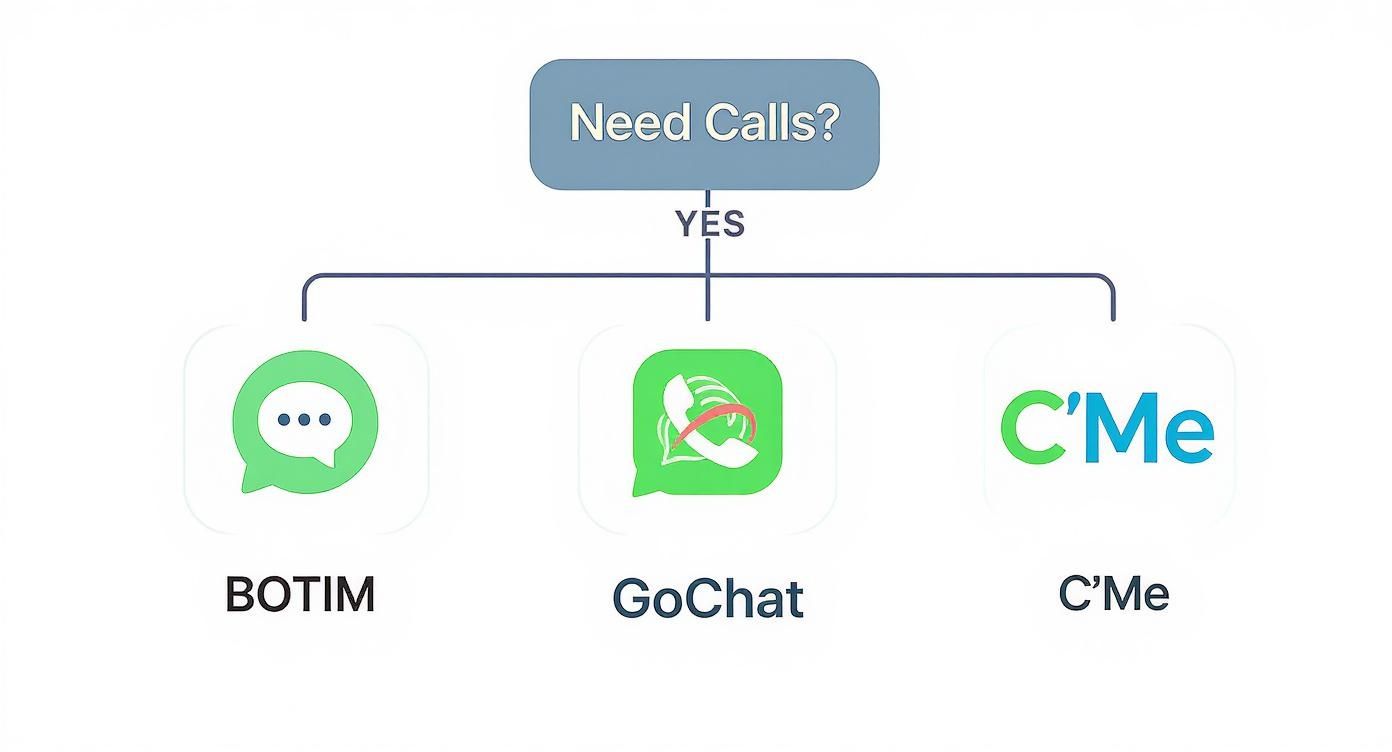
This flowchart makes choosing a licensed calling app a bit clearer.
As you can see, if you need to make calls, you’ve got a few straightforward, officially sanctioned options ready to go.
When You Arrive: What to Do
You’ve landed in Dubai. Time to put your preparation into action.
Activate and Test: The minute you’re off the plane, switch on your eSIM data. Send a quick WhatsApp message to someone back home to make sure everything’s working as it should.
Set Up Your Calling App: Now, get your chosen calling solution running. Whether it’s one of the approved apps or your VPN, download it, set it up, and make a quick test call to a friend. You don’t want to find out it’s not working when you actually need it.
It’s worth remembering that for the most accurate picture of connectivity, you have to look at UAE-specific guidance. For a broader view, you can discover more insights about global WhatsApp usage on ycloud.com.
Your Final Takeaway: The key to hassle-free communication in Dubai is preparation. Sort out your data with an eSIM before you travel, then pick a calling method you’re comfortable with. This simple two-step approach is your ticket to staying connected from the moment you land to the moment you leave.
Common Questions About Using WhatsApp in Dubai
When you’re packing for Dubai, figuring out how you’ll stay in touch can feel a little tricky. Let’s clear up the most common questions travelers ask so you know exactly what to expect.
Can I Receive WhatsApp Calls in Dubai?
The short answer is no. While your phone might show a notification that someone is trying to call you on WhatsApp, the call itself won’t connect when you answer. The block on unlicensed Voice over IP (VoIP) services works both ways, so making and receiving calls is not possible without a workaround.
Are My WhatsApp Messages Monitored in the UAE?
This is a common privacy concern. The good news is that WhatsApp messages are protected by end-to-end encryption. This means only you and the person you’re messaging can read what’s sent – not even WhatsApp can see the content.
That said, it’s always smart to remember that all digital communication falls under local laws. As a traveler, just be mindful of the UAE’s regulations and cultural norms when you’re messaging.
Does This VoIP Restriction Apply to All of the UAE?
Yes, it does. The policy on services like WhatsApp calling isn’t just for Dubai; it’s a federal rule for the entire United Arab Emirates. So, whether you’re in Abu Dhabi, Sharjah, or any other emirate, you’ll encounter the same limitations.
Your takeaway: The calling restrictions are nationwide. Planning for this means your communication strategy will work seamlessly, no matter where your travels in the UAE take you.
Can I Use WhatsApp Web in Dubai?
Absolutely. You’ll have no trouble using WhatsApp Web or the desktop app for all your text-based needs. Since these platforms mirror the messages on your phone, sending texts, photos, voice notes, and documents works perfectly.
Just keep in mind that the calling features on the web and desktop versions will be blocked, the same as they are on your mobile.
The easiest way to guarantee a smooth arrival is to sort out your internet connection before you even leave. With TapSim, you can install an eSIM on your phone at home and connect to a local data network the second you touch down in Dubai. That means instant access to maps, ride-sharing apps, and, of course, WhatsApp messaging.
You can find the right eSIM for your trip on TapSim.net.
You’ve just landed in a new country, phone in hand, but the internet isn’t working. It’s a modern traveler’s nightmare, but don’t worry—the fix is usually surprisingly simple. Before you…
Dual SIM technology is a bit like having a hybrid car. It intelligently switches between two power sources to give you the best performance and efficiency. For your phone, this…
Figuring out how much data you’ll need for a trip can feel like a shot in the dark, but it really doesn’t have to be. For a standard week-long holiday,…
For any traveler, the best pay-as-you-go (PAYG) option is almost always a modern eSIM. Think about it from a practical standpoint: you get instant activation right from your phone, transparent…
Getting a new iPhone is always exciting, but for a traveler, ensuring your eSIM transfers smoothly is crucial. Whether it’s your primary number or a travel data plan for an…
Activating a travel eSIM is one of the smartest pre-trip tasks you can do, and it’s much simpler than it sounds. Think of it as a digital SIM card that…
Not long ago, staying connected abroad meant navigating a minefield of eye-watering roaming charges or scrambling to find a local SIM card the moment you landed. Thankfully, things have moved…