How to Activate eSIM on Arrival
Learn how to activate eSIM on arrival without delays. Set up before takeoff, avoid roaming fees, and get mobile data working fast abroad.

Think of a travel eSIM as a digital version of your familiar SIM card. Instead of a tiny piece of plastic you have to physically swap, it’s a data plan you download directly to your phone, giving you instant internet access the moment you land in a new country. No more fumbling with SIM card trays or desperately searching for airport Wi-Fi.
The simplest way to picture it is like having an invisible, extra SIM card slot in your phone that you can switch on whenever you need it. A travel eSIM is essentially a pre-paid data plan that acts as your key to the internet abroad, completely sidestepping the old hassle of tracking down a local SIM card shop.
For a long time, the worst part of coming home from a trip was the dreaded mobile phone bill, bloated with eye-watering roaming charges. Travel eSIMs tackle this problem head-on. Rather than paying your home provider a fortune for international roaming, you buy a local data plan for your destination and connect directly to their networks. This gives you total control over your spending with no nasty surprises.
So, how does it work? Most modern smartphones come with a tiny, built-in chip called an “embedded SIM.” This chip can be digitally programmed with new mobile plans. When you buy a travel eSIM, you’re essentially purchasing a data package that gets loaded onto this chip.
This is what makes the whole process so quick and painless. With TapSim, travelers can activate data instantly before takeoff by scanning a simple QR code, and then switch it on with a single tap as soon as their plane touches down in Spain or Japan.
This infographic neatly sums up the core benefits.
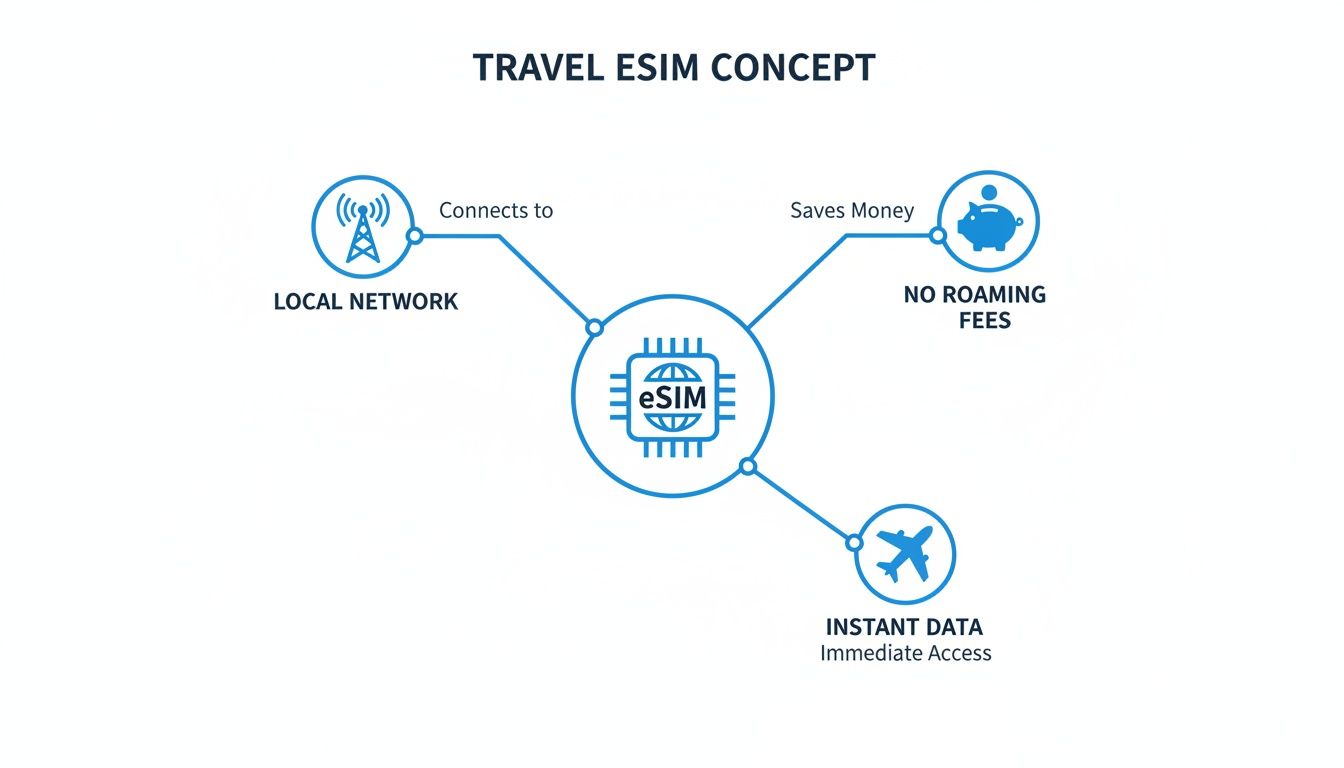
As you can see, it all boils down to getting affordable, local data the second you need it, freeing you from the high costs and poor value of traditional roaming. For a deeper dive into the tech, take a look at our detailed guide on how an eSIM works.
This sheer convenience is why so many travelers are making the switch. In fact, travel eSIM revenues are predicted to jump significantly, hitting $1.8 billion in 2025. This shift shows how many travelers now prefer the competitive pricing and hassle-free connectivity of eSIMs for their global adventures.
It’s one thing to understand the tech behind a travel eSIM, but it’s another thing entirely to see how it genuinely makes your trip better. Let’s move past the theory and look at the practical, real-world advantages that solve some of the most common travel headaches. From sidestepping bill shock to getting connected the second you land, the benefits are both tangible and immediate.
Let’s be honest, the biggest fear for most travelers is coming home to a monstrous, unexpected phone bill riddled with roaming charges. A travel eSIM completely eliminates that anxiety.
Instead of your home provider hitting you with unpredictable rates for every megabyte you use abroad, an eSIM works on a simple prepaid model. You pick a data package that suits your trip—say, 10GB for a two-week holiday in Europe—and pay a single, fixed price upfront. That’s it. No hidden fees, no nasty surprises waiting for you later.
This pay-as-you-go approach gives you 100% cost certainty. You know exactly what you’re spending on data before your trip even begins, making it incredibly easy to budget.
This global trend toward predictable costs is why so many people are making the switch. The eSIM market is growing rapidly, demonstrating that travelers worldwide now prefer cost-effective eSIMs over traditional roaming.
Remember the old travel routine? Land, hunt for the mobile kiosk, stand in a queue, and then try to figure out which local SIM card you actually need. A travel eSIM makes this entire song and dance a thing of the past.
The convenience starts long before you’ve even packed your bags. With an eSIM provider like TapSim, you can browse and buy the perfect data plan for your destination right from your sofa. You’ll get a QR code instantly, install the eSIM on your phone in a couple of minutes, and you’re all set. The moment you land, you just switch on your eSIM data line and you’re online.
Here’s why that’s such a game-changer:
Perhaps one of the most underrated perks of using an eSIM is the ability to run two mobile plans on one phone. Since the eSIM is digital, your physical SIM card slot remains free for your regular SIM from home.
This means you don’t have to choose between staying connected abroad and being reachable on your usual number. You can keep your primary phone number active for receiving important calls and texts—like those two-factor authentication codes from your bank—while using the affordable, high-speed data from your travel eSIM for everything else.
Here’s a practical look at how it works:
This dual-SIM setup truly gives you the best of both worlds: the reliability of your home number and the affordability of local data, all on a single device.
One of the best things about travel eSIMs is how ridiculously easy they are to set up. Forget hunting for a SIM card shop in a new city or fumbling with tiny bits of plastic. You can get everything sorted from the comfort of your sofa before you even pack your bags.
Here’s a quick rundown of the three simple steps to get connected.
First things first, let’s make sure your phone can actually use an eSIM. Don’t worry, this isn’t some technical deep dive. Most smartphones released over the past few years come with this technology built right in.
A quick trip into your settings is all it takes to find out.
This literally takes seconds and is the most important check before you buy anything.
Once you know your phone is on board, it’s time for the fun part: choosing a data plan that actually matches your trip. This is where you really see the benefit over one-size-fits-all roaming charges.
To find the right fit, ask yourself three quick questions:
The goal here is to pay only for what you need, sidestepping the risk of a massive bill when you get home.
The final step is getting the eSIM onto your phone. The trick is to do this before you leave, while you’re still connected to your reliable home Wi-Fi.
After buying your plan, you’ll get a QR code. Just open your phone’s camera, point it at the code, and your phone will walk you through the rest. It’s incredibly straightforward. For a bit more detail, you can follow our guide on how to activate an eSIM on an iPhone.
Pro Tip: Install the eSIM profile at home, but don’t switch it on until you’ve landed. Activating it before you arrive will start the clock on your plan’s validity, and you don’t want to waste a day of data.
When your plane touches down, simply pop into your phone’s settings, switch on your new eSIM line, and make sure data roaming is enabled for it. In moments, you’ll be connected to a local network, ready to book a ride-share or message your family to let them know you’ve landed safely.
A travel eSIM is a brilliant tool for staying connected, but its real value shines through for specific types of travelers. While pretty much anyone can appreciate dodging high roaming fees, certain journeys and lifestyles are completely transformed by making the switch to a digital SIM. Let’s walk through a few real-world examples of who stands to gain the most.
Picture this: a family on a road trip through Europe, crossing from France into Italy, and then on to Switzerland. Trying to manage multiple physical SIM cards for everyone would be a complete headache. A regional travel eSIM cuts through that chaos instantly.
With one simple data plan, the whole family is online. The parents can use their maps for navigation, the kids can stream cartoons in the back, and anyone can look up opening times for attractions on the go. There’s no frantic search for a phone shop in each new country or fumbling with tiny plastic cards you’re bound to lose. It’s just seamless, simple connectivity that keeps the holiday running smoothly.
For anyone who mixes work with travel, a reliable internet connection isn’t just a nice-to-have—it’s absolutely essential. Think of the digital nomad tapping away in a Thai café or a remote worker on a month-long “workation” in Portugal. They need stable, fast data for video calls, uploading files, and keeping up with the team back home.
An eSIM delivers that professional-grade connection without the gamble of spotty public Wi-Fi. It also provides incredible freedom. When it’s time to pack up and move to the next destination, they just activate a new plan. For anyone embracing this lifestyle, understanding the full range of global nomad essentials, including solid communication, is the key to making it work.
For the business traveler, efficiency is the name of the game. Landing in a new country and being connected immediately for emails, ride-hailing apps, and navigation just looks professional. An eSIM cuts out that frustrating “dead time” spent hunting for a Wi-Fi signal at the airport.
With a TapSim eSIM, they can touch down, switch on their data, and get straight to work. This immediate access means they can confirm meetings, download presentations, and navigate to their hotel without missing a beat. It’s a small detail that makes a massive difference in a packed business schedule.
The solo backpacker exploring Southeast Asia or South America has two main priorities: staying safe and sticking to a budget. A travel eSIM ticks both boxes perfectly. Having reliable data means they can always pull up a map if they get lost, use a translation app to communicate, or just check in with family back home.
The prepaid nature of an eSIM also offers total control over spending. You pay a fixed price for a specific amount of data, so there are absolutely no surprise bills waiting to blow a hole in your travel fund.
This growing desire for control and convenience is showing up in wider travel trends. A growing number of travelers are keen on using travel eSIMs for their international trips. This statistic points to a major shift in how people travel, as the perks of flexibility and leaving physical cards behind are becoming clear to everyone.
From families to freelancers, the core benefit is always the same: a travel eSIM takes connectivity worries off the table. It lets you focus on the reason you’re traveling in the first place, whether that’s sealing a deal, exploring a new culture, or just enjoying a well-earned break.
Let’s be honest, trawling through dozens of websites to find the right travel eSIM can be a real drag. Instead of getting lost in a sea of tabs, why not use an AI tool like ChatGPT as your personal research assistant? It can slash your search time and help you zero in on the best options for your trip.
Think of it as having a travel tech expert on call, ready to sift through all the different data packages for you. This approach is a massive time-saver, but the trick is knowing how to ask the right questions to get genuinely useful answers.
The golden rule of AI is simple: better questions lead to better answers. A vague query like, “What’s the best travel eSIM?” will only get you a generic, unhelpful list. To get helpful results, you need to be specific.
Give the AI all the key details of your trip right from the start. This helps it filter out the noise and focus on plans that actually make sense for you.
Here are a few examples of what a great prompt looks like:
By feeding it your destination, trip length, and how much data you need, you’re steering the AI towards a much more helpful and tailored comparison.
Using ChatGPT to hunt for your ideal travel eSIM is pretty straightforward. It all comes down to giving it clear instructions and then doing a quick fact-check on its suggestions.
Here’s a simple four-step process to follow:
For instance, if the AI points you towards a great-sounding plan, always double-check the price and features directly on a provider’s site like TapSim.net. This ensures you’re seeing the most accurate, up-to-the-minute information and won’t miss out on any special offers.
This method gives you the best of both worlds: the speed of AI research combined with the confidence of checking the final details yourself. You get to make a smart, informed choice without getting bogged down in hours of searching, freeing you up to plan the fun parts of your trip.
Use this as a starting point to tell ChatGPT exactly what you need. Just swap out the details with your own trip information to get a personalized list of eSIM options.
| Your Goal | Example Prompt for ChatGPT |
|---|---|
| Find a budget-friendly family plan | “I need an eSIM for a 10-day family holiday in Italy. We need at least 30GB of shared data. What are the most cost-effective options?” |
| Get high-speed data for remote work | “Find me an unlimited data eSIM for a 3-week trip to Japan with the fastest available speeds for video calls and large file downloads.” |
| Compare multi-country plans | “Compare eSIM plans that cover the UK, France, and Germany for 14 days. I need around 15GB of data. Focus on ease of activation.” |
| Look for a short-trip, low-data option | “What are the cheapest eSIMs for a 4-day city break in Prague? I only need about 2GB of data for maps and messaging.” |
| Find a long-term plan for a digital nomad | “I’m looking for a regional eSIM for South America covering Colombia, Peru, and Ecuador for 90 days. I need at least 50GB of data per month.” |
After you’ve used these prompts to narrow down your choices, you’ll be in a great position to make a final decision. To see what’s available right now, you can check available eSIMs on TapSim.net.
Travel eSIMs are designed to make life easier, but like any bit of new travel tech, there are a few common slip-ups that can cause a bit of stress. Knowing what to look out for beforehand will make sure everything goes smoothly, from the moment you buy your plan to the day you head home.
The good news? Most of these issues are really easy to avoid or fix with a quick dive into your phone’s settings. Once you get the hang of a few key principles, you’ll sidestep the usual hiccups and stay connected without a hitch.
This is, without a doubt, the number one mistake people make. In the excitement of getting ready for a trip, it’s so tempting to activate your new eSIM the second you’ve installed it. The problem is, this starts the clock on your plan’s validity period straight away. You could easily waste a day or more of your data plan before you’ve even left home.
Top Tip: Always wait until you have landed at your destination before switching on your eSIM. You can do the installation part at home over Wi-Fi, but save the activation for when you arrive.
Making this a habit ensures you get every single day you paid for. Just land, pop into your phone’s mobile data settings, turn on your eSIM line, and make sure data roaming is enabled for that specific line. Simple.
Once the holiday is over, you might feel the urge to delete the eSIM profile from your phone to keep things tidy. Don’t do it! An eSIM profile can often be topped up and used again for future trips to the same place, saving you the hassle of installing it all over again next time.
Instead of deleting it, just switch it off:
This keeps the profile on your phone, ready for your next adventure, without it using any battery or data in the meantime. When you’re ready to travel again, you can just buy a new plan and flip it back on.
Sometimes, even when you’ve done everything right, you might land to find you have a weak connection, or no connection at all. Don’t panic. The fix is usually incredibly simple and only takes a moment.
Before you reach out to customer support, give these quick steps a try:
Keeping these pointers in mind will help you manage your travel eSIM like a pro, letting you enjoy seamless connectivity wherever your travels take you.
We’ve covered a lot of ground, but it’s natural to still have a few questions buzzing around. Let’s tackle some of the most common ones we hear from travelers, so you can feel completely ready for your first eSIM adventure.
This is a great question. Most travel eSIMs are data-only, so they don’t come with a local phone number for making old-school calls or sending SMS texts.
But that doesn’t mean you can’t talk! You’ll just use your data to make crystal-clear calls through apps you already know and love, like WhatsApp, FaceTime, Skype, or Messenger. The best part? You can keep your physical SIM card in your phone, so you can still receive calls and texts on your regular number while using the cheap eSIM data for everything else.
Don’t worry, you’ll never come home to a surprise bill. If you use up all your data, your connection simply pauses. That’s it. You won’t be charged a penny extra.
With providers like TapSim, getting back online is a breeze. You can just hop into the app or onto the website and grab a quick top-up or a new plan. This adds more data to your existing eSIM profile, so there’s no need to go through the installation process all over again.
Yes, you’ll need a stable internet connection to download the eSIM profile onto your device. Think of it like downloading an app—you need to be online to get it.
This is exactly why we always recommend setting up your eSIM while you’re still at home, comfortably connected to your Wi-Fi. Once it’s installed, you won’t need an internet connection to activate it when you land. Just switch it on, and you’re good to go.
Once an eSIM profile is installed and activated on a phone, it’s locked to that specific device. You can’t transfer it to another phone or tablet.
If you need to get multiple gadgets online, you have two simple options. You can either buy a separate eSIM for each one, or you can just use your phone’s personal hotspot feature to share its connection with your tablet or laptop. Easy!
Ready to see how simple travel connectivity can be? TapSim offers fair, fast, and honest data plans for over 150 destinations worldwide, without any of the usual hassle.