eSIM for Business Travel: What to Know
Learn how esim for business travel cuts roaming costs, speeds arrival setup, and keeps teams connected with clear data limits and fewer surprises.

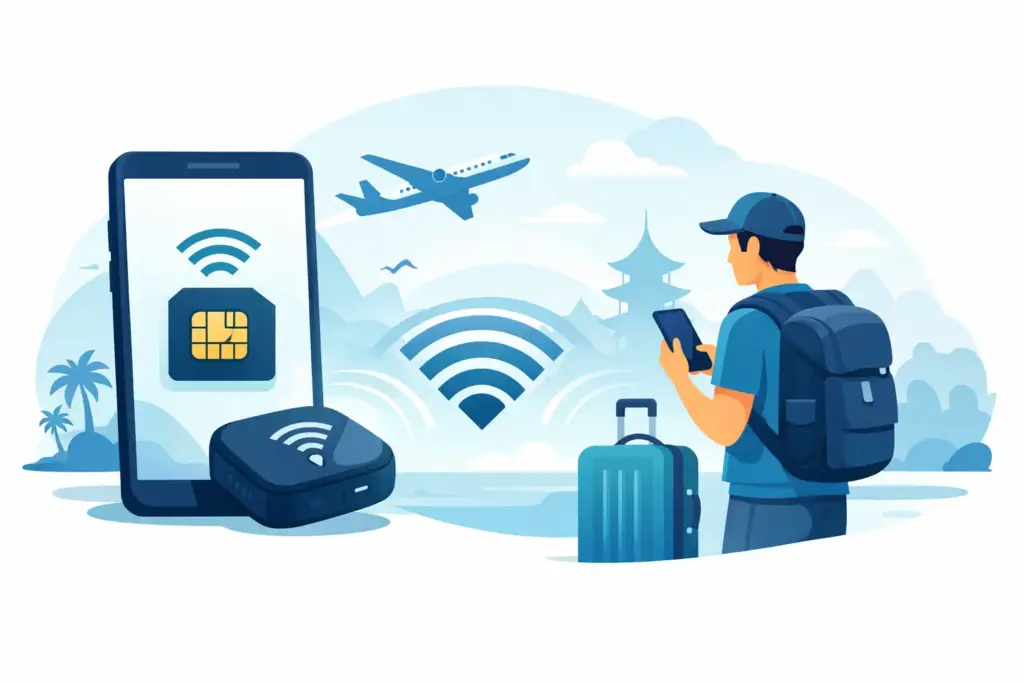
You land, turn off airplane mode, and suddenly your laptop still has no internet. That is usually when people ask the real question: does travel eSIM allow hotspot use, or is the data locked to your phone only?
The short answer is yes, often it does. But not always. Hotspot support depends on the eSIM plan, the local network behind it, your phone settings, and sometimes a fair-use rule that limits how much data you can share. If you assume every travel eSIM includes hotspot by default, you can get stuck fast.
No. Some travel eSIMs support hotspot without any extra setup. Others block tethering entirely. And some allow it, but only up to a certain amount of data or speed.
This is where travelers get burned by vague marketing. A provider may advertise plenty of data, but say very little about tethering. That matters if you plan to connect a laptop, tablet, second phone, or a travel companion’s device.
For a data-only traveler, hotspot can be the difference between a useful plan and a frustrating one. If you work remotely, navigate on one device while using another, or want backup internet in transit, hotspot is not a bonus feature. It is part of the job.
A travel eSIM is usually built on top of agreements with local carriers in each country or region. Those carrier rules are not all the same. One network may permit tethering freely, while another may restrict it. The eSIM seller can also set plan-level limits based on cost, speed management, or fair-use policy.
That is why two plans that look similar on the surface can behave very differently. One may allow full-speed hotspot from day one. Another may slow shared data after a threshold. A third may support hotspot in one country but not another, even within the same regional package.
This is also why the phrase unlimited should make you pause. In travel data, unlimited often comes with speed caps or fair-use controls. If hotspot is allowed, those restrictions can show up even faster because laptops and tablets burn through data much more quickly than phones.
The best answer is usually in the plan details, not the headline. Look for plain language that says hotspot, tethering, or personal hotspot is allowed. If the provider avoids the topic or buries it in vague terms, take that as a warning sign.
You also want to check whether hotspot access is fully included or treated differently from on-device use. Some plans separate the two. Others allow hotspot but reserve the right to reduce speed after heavy use. That does not always mean the plan is bad. It just means you should know what you are buying.
A trustworthy provider will tell you three things clearly: whether hotspot is supported, whether there are any usage caps tied to hotspot, and whether the plan includes speed or fair-use limits that affect shared data. That is the standard travelers should expect.
Even if the plan supports hotspot, your phone still has to cooperate. Most recent unlocked iPhones and Android devices support personal hotspot with eSIM, but there are exceptions.
Carrier-locked phones can create problems. So can phones with outdated software, custom carrier profiles, or APN settings that do not load correctly. In some cases, mobile data works but hotspot does not appear or refuses to connect other devices.
That does not always mean the eSIM plan is blocking tethering. It can simply be a setup issue. Restarting the phone, updating software, checking APN settings, and confirming the eSIM is installed as the active data line often solves it.
Hotspot failures usually come from a short list of causes. The plan may not allow tethering. The local network may restrict it. Your phone may not have personal hotspot enabled. Or the device may be trying to use the wrong SIM for data.
Dual SIM phones add another layer. If your home SIM stays active for voice or texts while the travel eSIM handles data, you need to make sure mobile data is assigned to the eSIM. Otherwise hotspot can fail or route through your primary carrier, which is exactly how roaming bills happen.
There is also the simple issue of low signal. Hotspot is more sensitive than people expect. A weak mobile connection that feels fine for messaging on your phone may struggle when you share it to a laptop.
Sometimes yes, but this is where the details matter most. If your workday means email, Slack, maps, and browser tabs, many travel eSIMs with hotspot will handle that well. If your day includes video calls, cloud backups, large file transfers, and a second device streaming in the background, you can run into fair-use limits quickly.
Hotspot is convenient, not magic. A laptop can chew through a full day’s travel data in a couple of meetings if video stays on. Software updates, automatic photo syncing, and background app refresh can quietly drain a plan even faster.
For remote work, the right question is not only does travel eSIM allow hotspot. It is also how much hotspot data is realistic for your routine. Honest plan information matters more than flashy data claims.
If hotspot matters to you, do not buy on price alone. Check country coverage first, then hotspot support, then speed and fair-use rules. After that, confirm your phone is unlocked and eSIM-compatible.
It also helps to check whether the plan is data-only. Many travel eSIMs do not include a local phone number or traditional calling. That is normal. You can still use hotspot and internet-based apps, but you should not expect standard voice service unless the provider says so.
If you are comparing plans, favor the one that explains limits clearly. A smaller data allowance with honest hotspot access is often better than a bigger promise with missing details. That is especially true for business trips, long travel days, and any situation where your phone may need to power more than one device.
Install the eSIM before departure if possible, then activate it when you arrive based on the plan instructions. Once data is live, test hotspot right away. Do not wait until you are boarding a train or joining a meeting.
Turn on personal hotspot, connect a second device, and open a simple webpage. Then try a slightly heavier task, like loading email or a map. That gives you a real answer while you still have time to adjust settings or contact support.
If the connection works but feels slow, check whether your phone is on the expected network and whether low data mode or battery saver is interfering. If it does not work at all, review APN settings and confirm the travel eSIM is selected for mobile data.
So, does travel eSIM allow hotspot? Often yes. Always? No.
The feature is common, but it is not universal. Some plans include it openly. Some restrict it quietly. Some support it but pair it with fair-use limits that matter a lot once you connect a laptop or share with family.
That is why transparent plan details matter. Travelers should not have to guess whether basic functions like hotspot are included. They should be able to see the rules before checkout, know what their phone can do, and avoid fake unlimited language that hides the fine print.
That is also why providers built around clarity stand out. TapSim, for example, makes hotspot access and plan limits part of the conversation instead of hiding them behind marketing fluff. That is a better fit for travelers who want to know exactly what they are getting before they take off.
If hotspot is part of your travel setup, treat it as a must-check feature, not a nice extra. A two-minute review of the plan details before you buy can save you from a very long hour at the airport.